

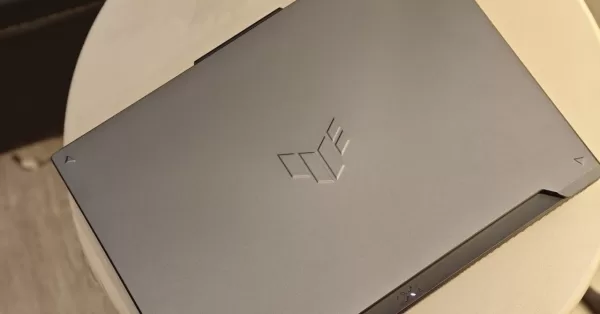
Right alongside the Republic of Gamers, we’ve been getting some premium, portable gaming goodness from the like of the ASUS TUF Gaming F16. While this particular model has been out for a minute, it comes at a competitive option as an entry-level gaming rig for anyone looking for capable hardware partnered with some tastefully loud aesthetics. Sporting a larger display than the A14 but with comparable specs–at least in the GPU department, it’s a device worth checking out.
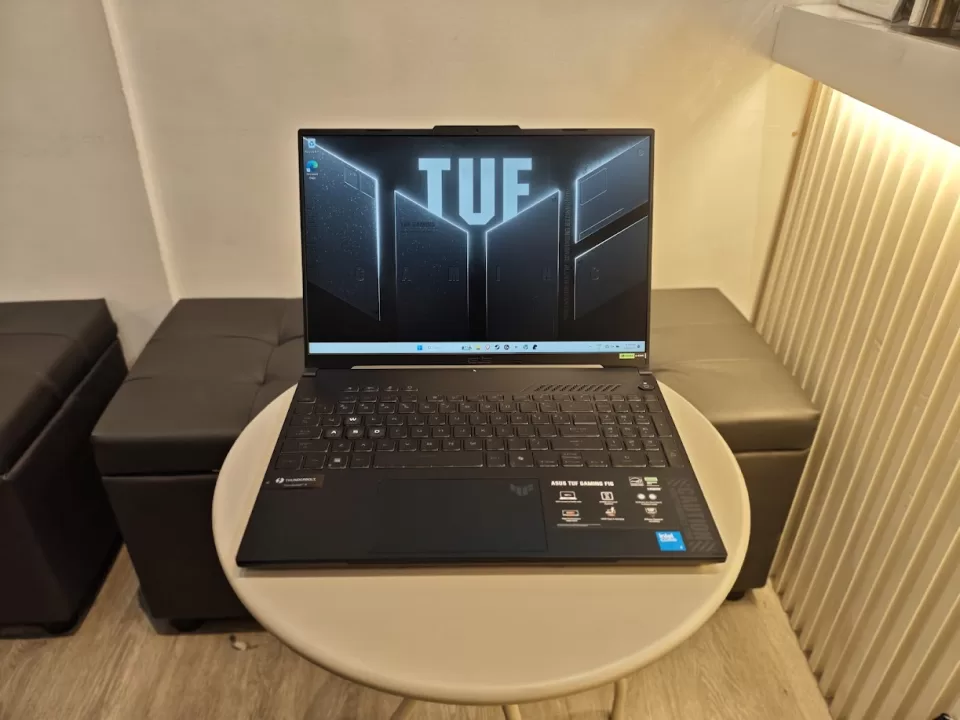
Sporting an Intel Core 5 Processor 210H, 6GB of NVIDIA RTX 4050 laptop graphics, and 16GB of DDR5 RAM right out of the box, you’re guaranteed a no-nonsense, plug-and-play experience. Of course, tailoring it to your preferences comes next. If you’re here for the TL’DR, then yes–the ASUS TUF Gaming F16 can definitely run that particular game in mind. But if you’re curious as to what extent, best to stick around.
We’ve had ample–if not an extended time with this hefty boi, and in terms of how it performs as both a daily driver and dedicated gaming rig, allow us to share our thoughts.
Geeksthetic
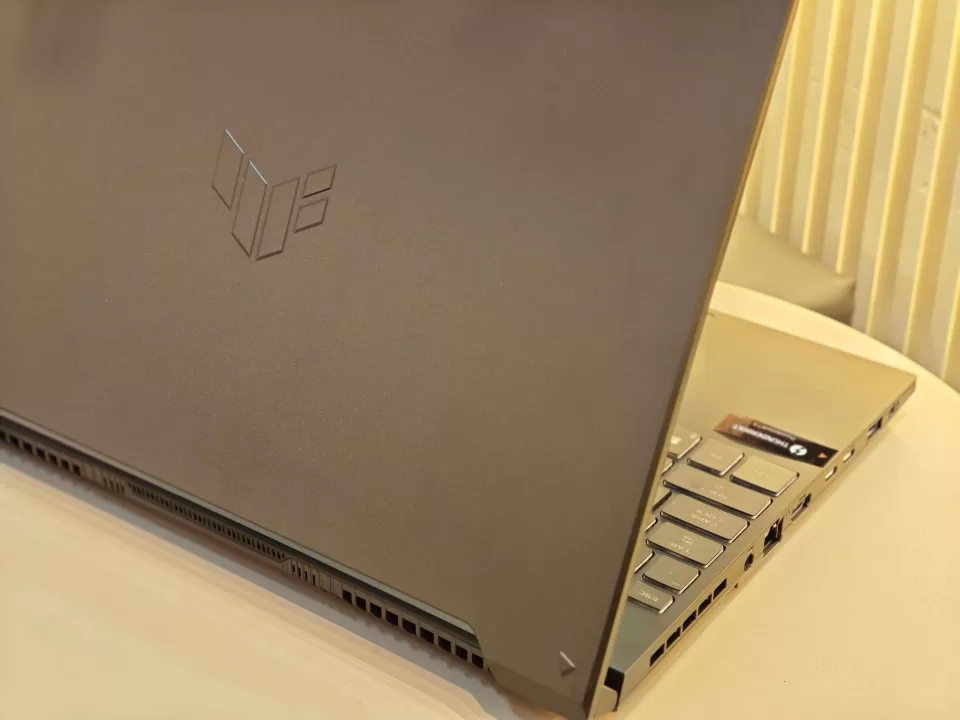
Gamer is, as gamer does–especially when it comes to the unboxing. Once you pry open a very tasteful containment unit, you get quite the premium-feeling device. The Mecha Grey exterior is sleek, and exudes a nice sheen. Instead of the usual TUF font, you get an embossed logo that’s discreet enough to not garner too much attention–but give the device its signature TUF identity. Might not be for everyone, but we like it.
In terms of the matte finish, it’s definitely a fingerprint magnet. Greasy digits or not, you’ll need a microfiber cloth. At 2.20 kg, it’s not the lightest laptop around. With 35.4 x 25.1 x 2.21cm measurements, you won’t be getting a thin experience either. Then again, that’s not the point. While this won’t be the easiest gadget to lug around the city, it’s small enough as a 16-incher to be a decent desktop replacement.
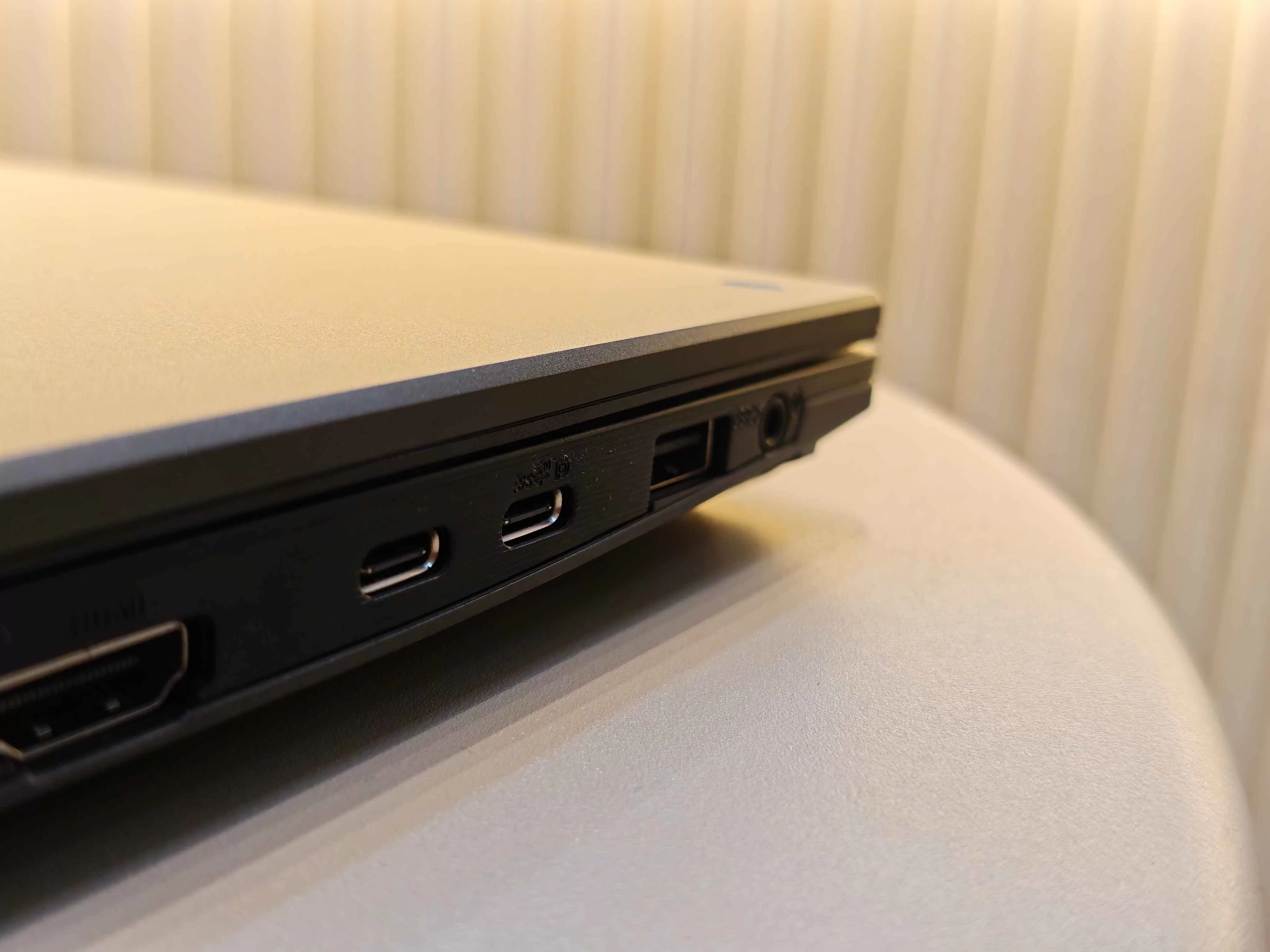
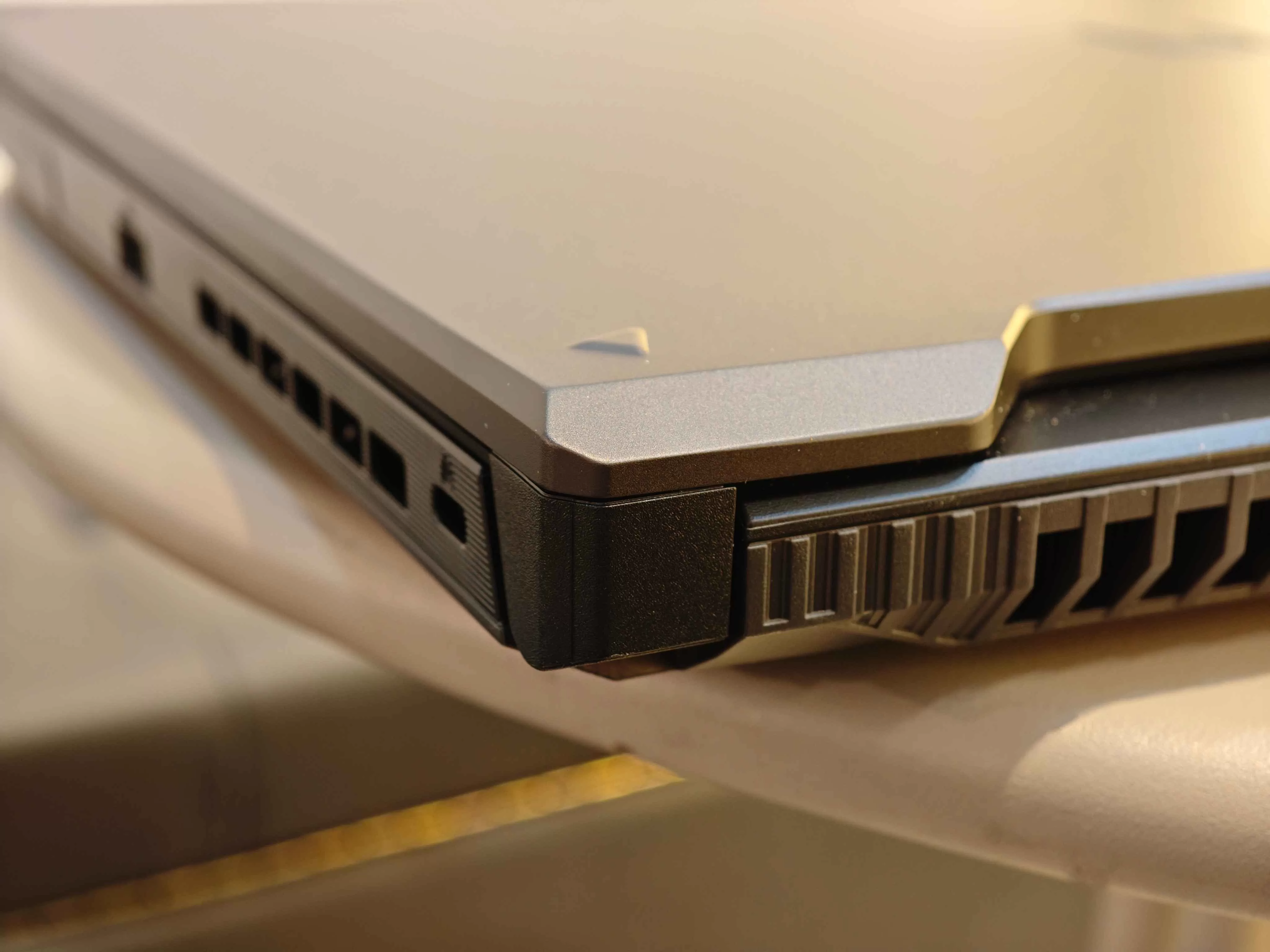
As for I/O, you get an HDMI 2.1 port, a Thunderbolt 4 port with with DisplayPort capability, and a proprietary LAN port for starters. You also get two USB 3.2 Gen 1 Type-A ports and a singular USB 3.2 Gen 2 Type-C port that also has DisplayPort and G-SYNC capability. Lastly, a very sweet 3.5mm Combo Audio Jack.

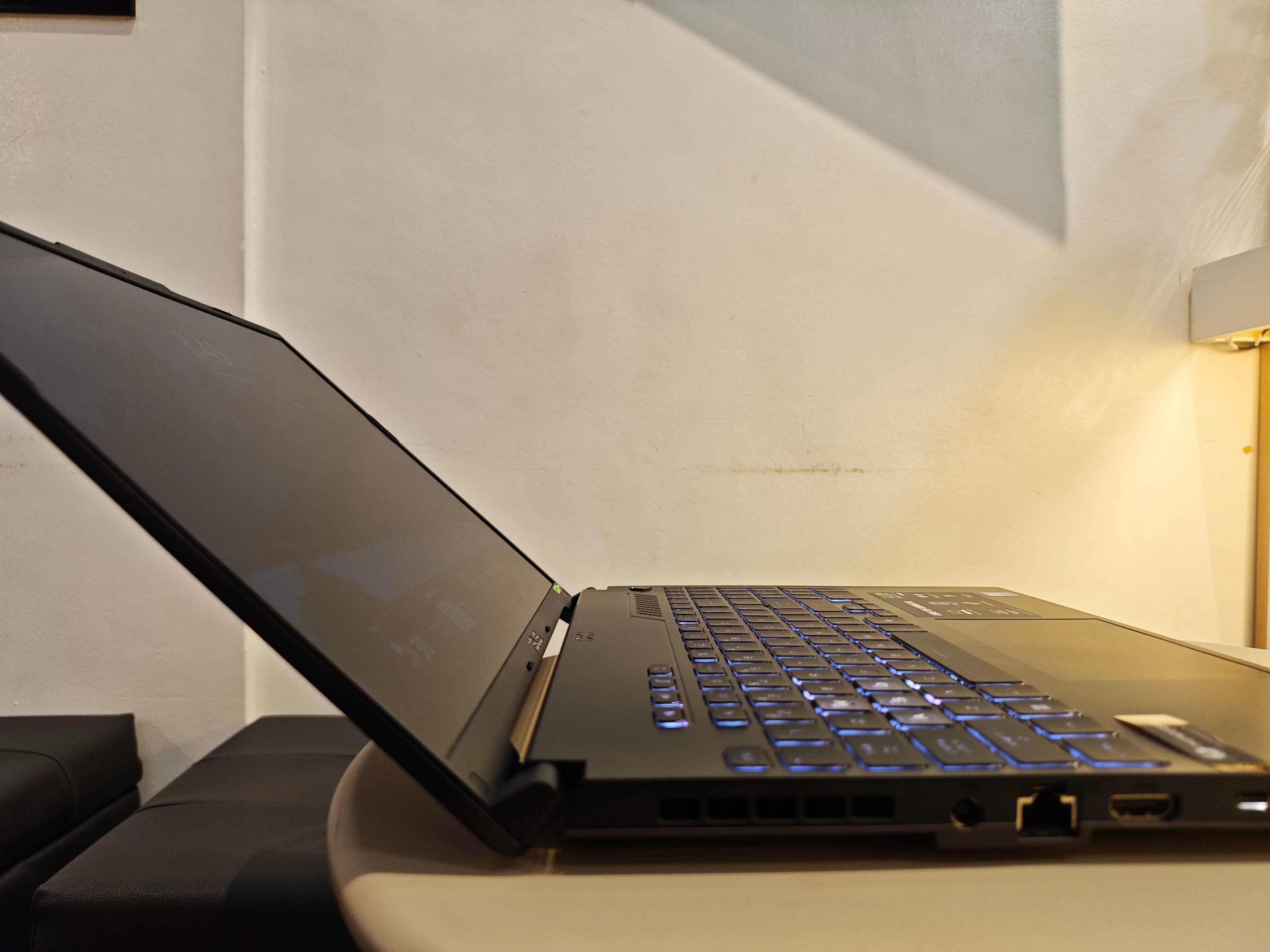
The hinge can’t do a complete flatlay, but it opens up enough for comfortable desk mounting. It’s also tough enough that it won’t get any wobble. Supported by said hinge is a rather nice 16-inch, anti-glare display with a 144Hz refresh rate. More on this baby later.
Binge Watching Factor
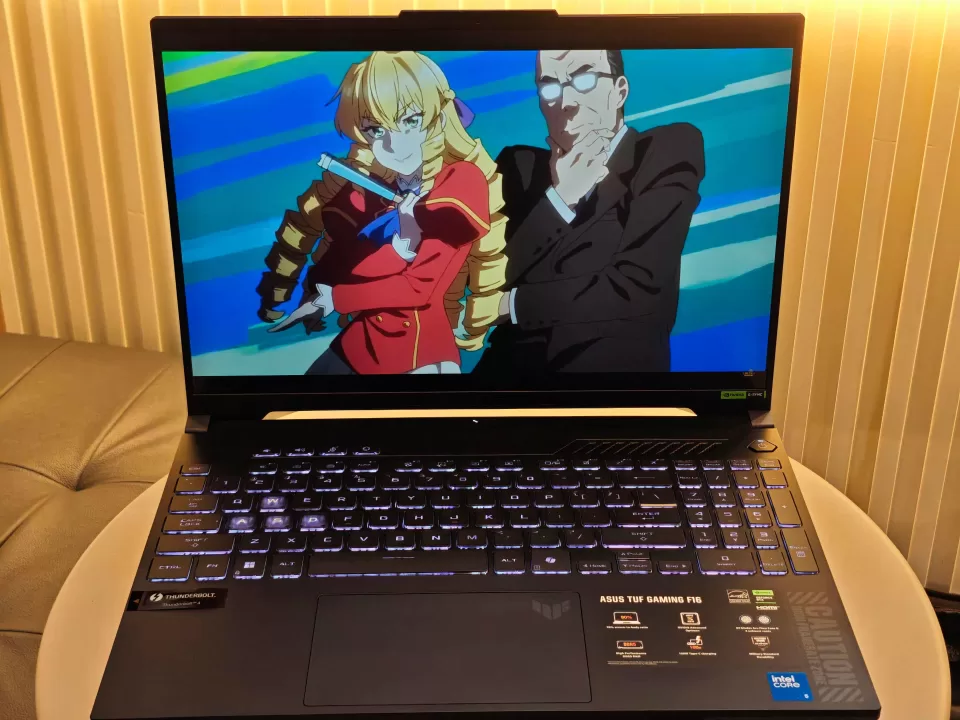
Now, more about that display. While you won’t be getting a 1.5 or 2K display, you’ll still be treated to a good visual experience–something necessary when gaming. The large 16-inch FHD+ IPS display has a 1920 x 1200 resolution and supports G-Sync. It’s a large screen, make no mistake. That real estate helps quite a bit for those who don’t opt for a dedicated monitor.
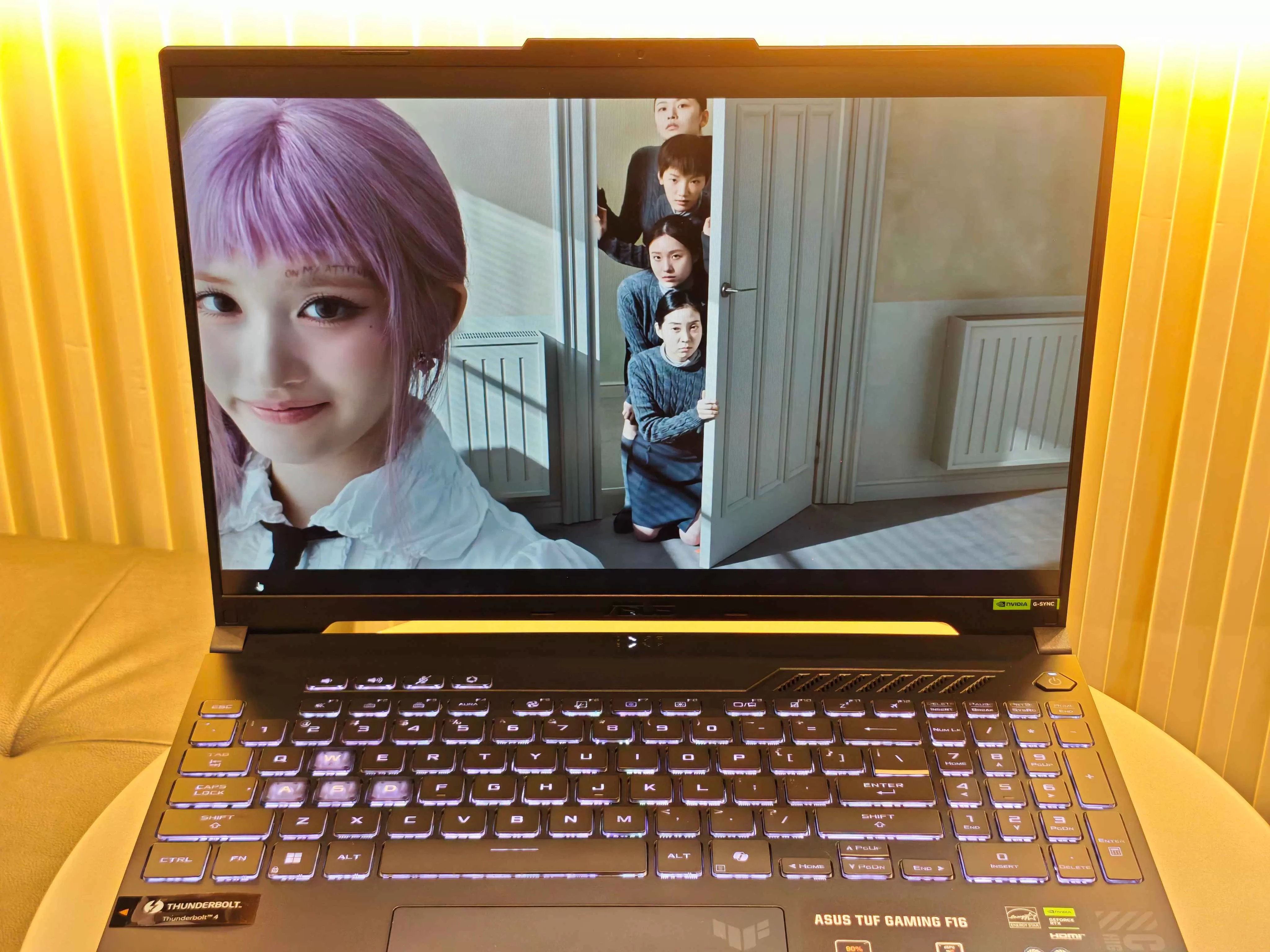

As for gaming capabilities, it comes with a snappy and smooth 144Hz refresh rate–which should be a standard for all laptops nowadays. You also have access to a MUX Switch and NVIDIA Advanced Optimus which aren’t absolutely necessary to have a great ol’ gaming time, but definitely great to have for those who are really meticulous with their settings.
When it comes to more leisurely pursuits or casual work tasks, you won’t have any problems.
Sound Trip
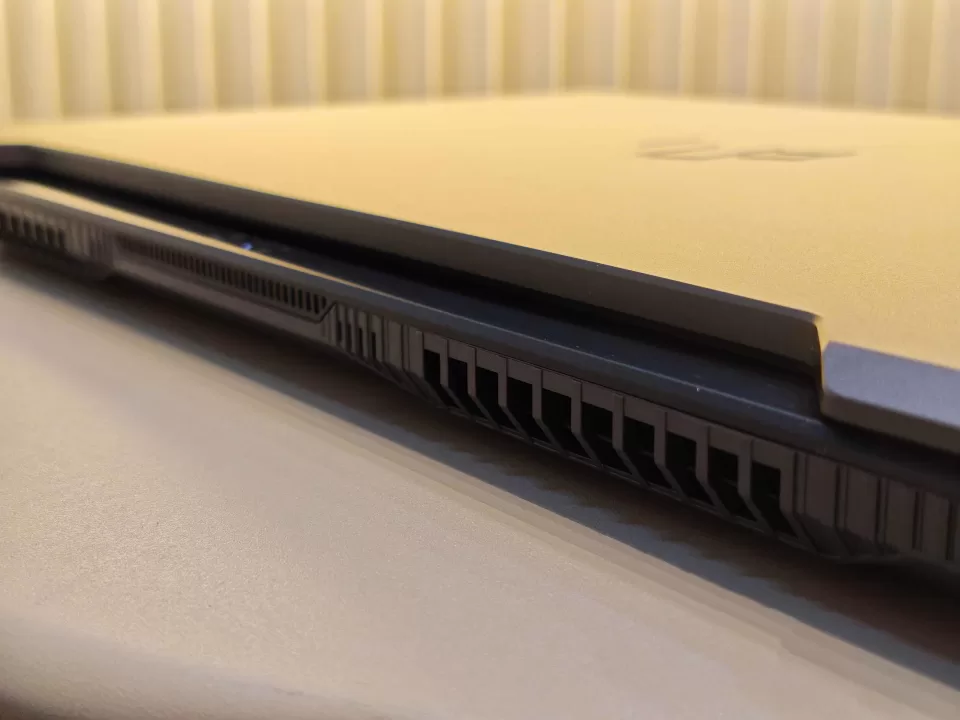
Now, in terms of audio quality alone, you won’t run into any snags here. Whether it’s audio in or audio out, you have a built-in array microphone coupled with AI noise-canceling technology which you can tweak further via Armory Crate. Dolby Atmos support allows for a variety of profiles depending on what’s currently on-screen. Leaving it on Dynamic is our best bet, though.
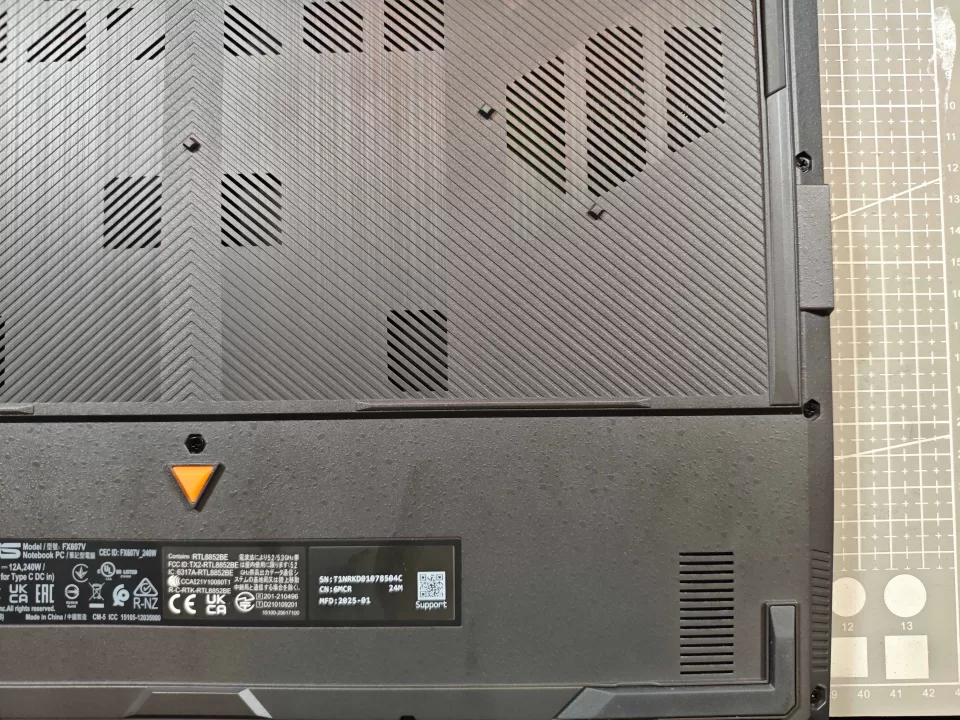
So, we mentioned that audio fidelity has no issue, and we stand by that. The design slightly hurts that, though. The 2-speaker stereo system suffers from the old-timey issue of being placed at the bottom of the laptop. Yes, those vents up top are for thermals, not for sound. It’s a bit of a waste, given the sound itself is already pretty darn good. Mounting the laptop on a stand alleviates this, having the audio blasted into the air instead of right onto your table. There might be more technical reasons which we couldn’t grasp here, but wishful thinking–upward firing speakers in future TUF generations, maybe.
Typing Experience
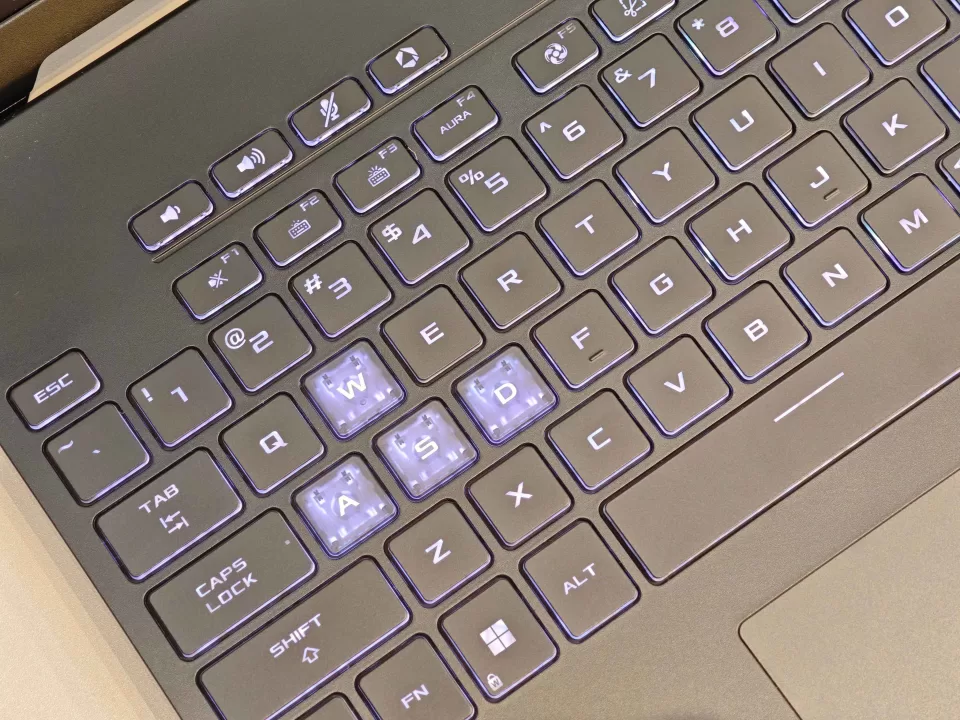
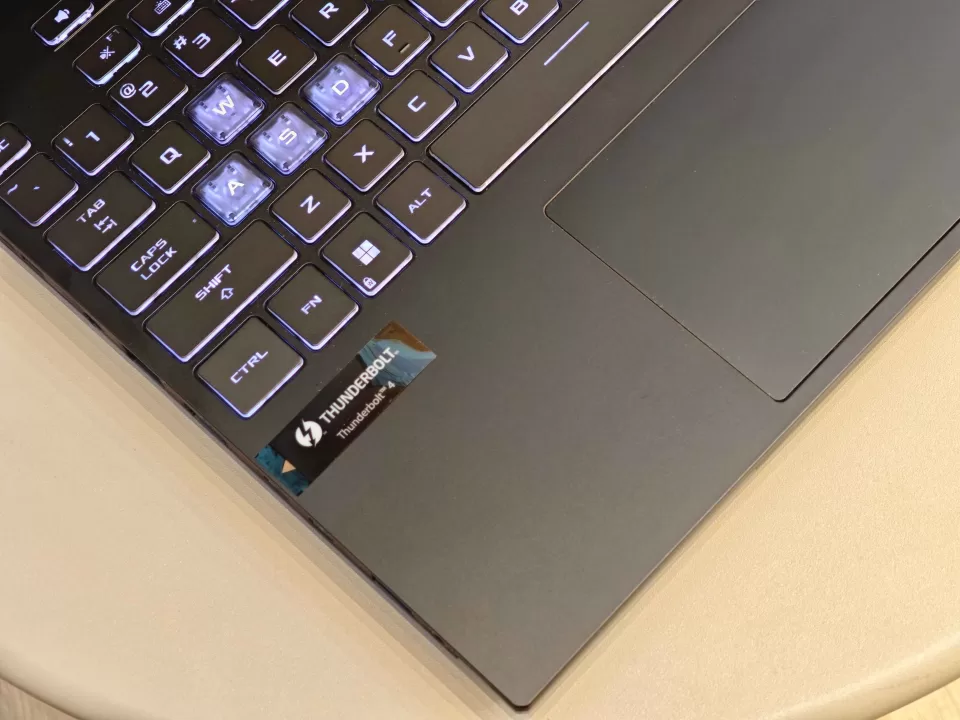
No issues with typing on the ASUS TUF Gaming F16. The backlit chiclet keys allow for enough travel (1.7mm) and don’t feel mushy–as far as full-sized keyboards on laptops go. Most users would probably make use of a separate 65-75% keyboard, but in a pinch, the one that comes on the device works well enough. Of course, the “SAD W” keys are illuminated for gaming purposes–and while it’s not our cup of tea, it’s not egregious either.
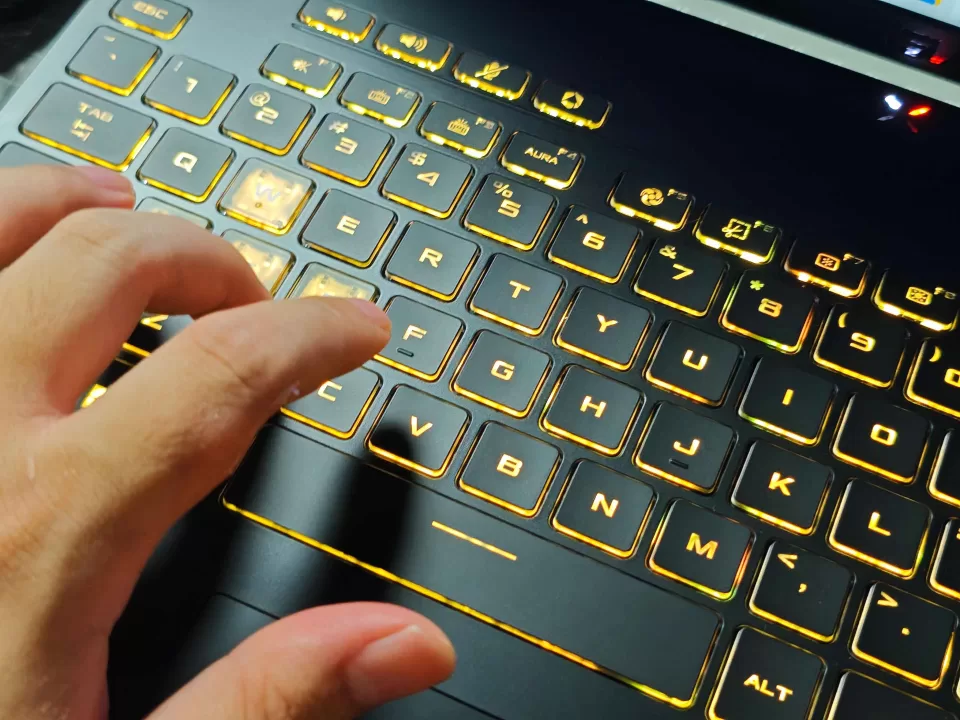
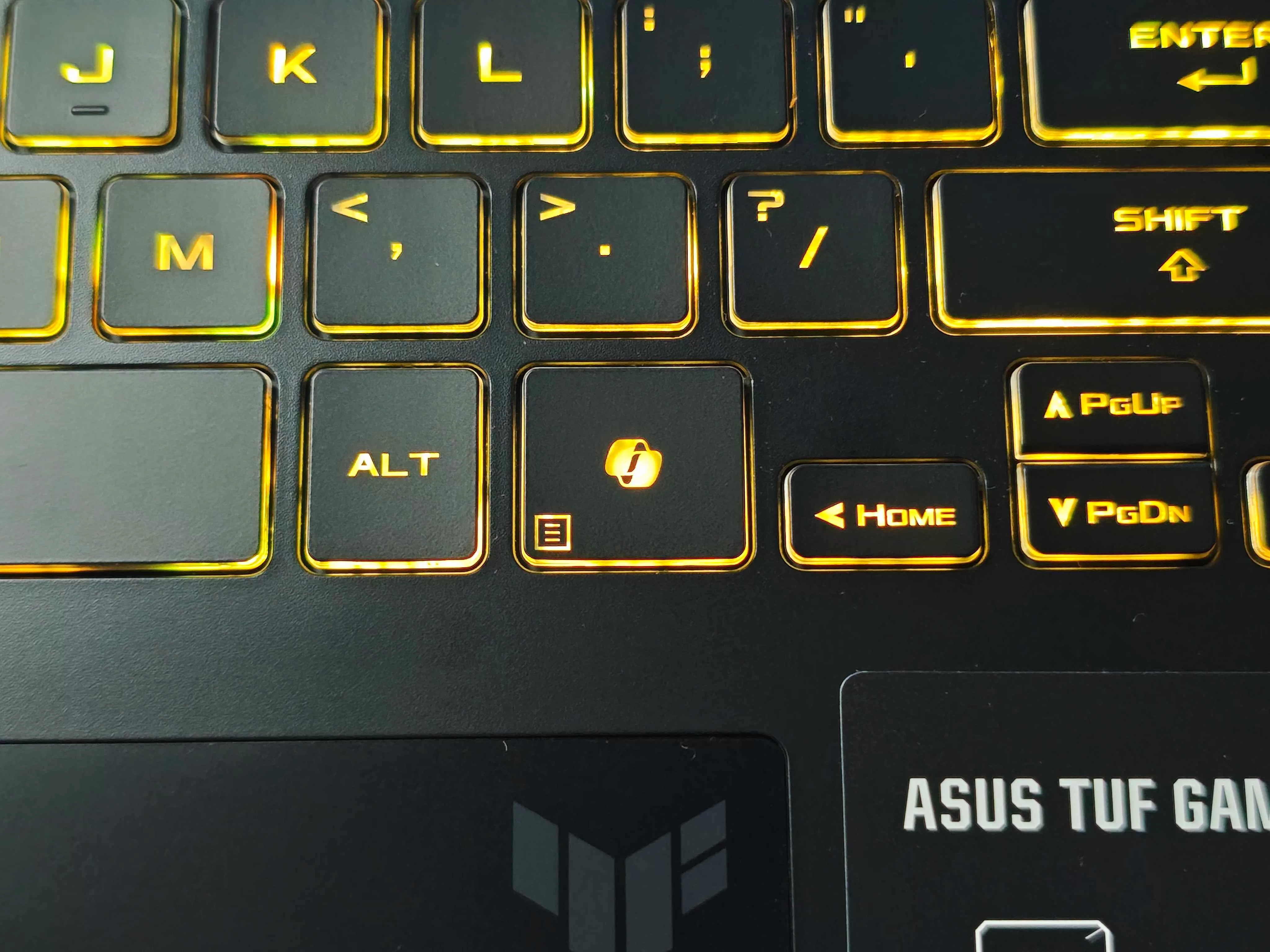
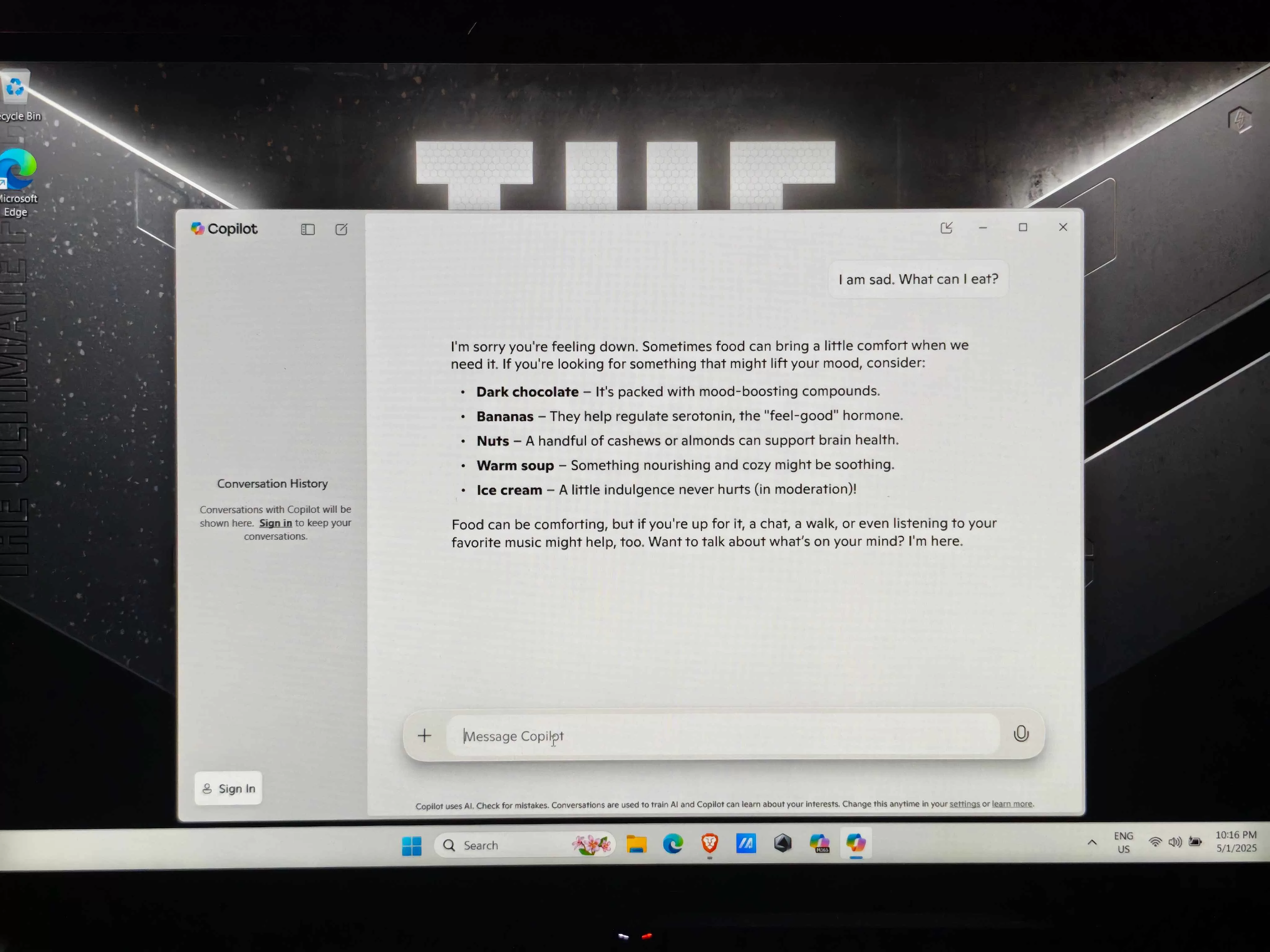
You get a four macro keys up top, and a huge trackpad southside. It’s clicky and responsive, allowing for decent navigation when going mouseless. It’s also worth noting that you get a dedicated CoPilot key that allows you to use those helpful AI features on the fly. It’ll likely appear on future generations as well, which is quite nice for multi-tasking.
Under The Hood
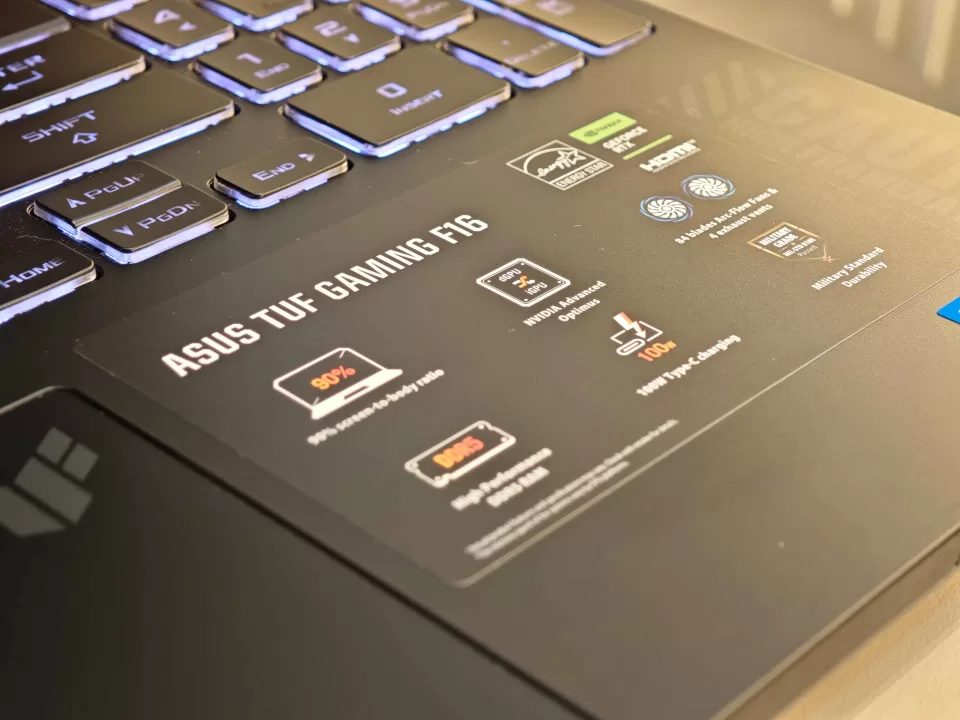
We’d say, “Let the games begin,” but we’ve been at it all week, now. Some statistics, first. We mentioned the ASUS TUF Gaming F16’s Intel Core 5 Processor 210H, NVIDIA RTX 4050 laptop graphics (6GB), and 16GB of DDR5 RAM–all of which will be working hand-in-hand to satisfy you.
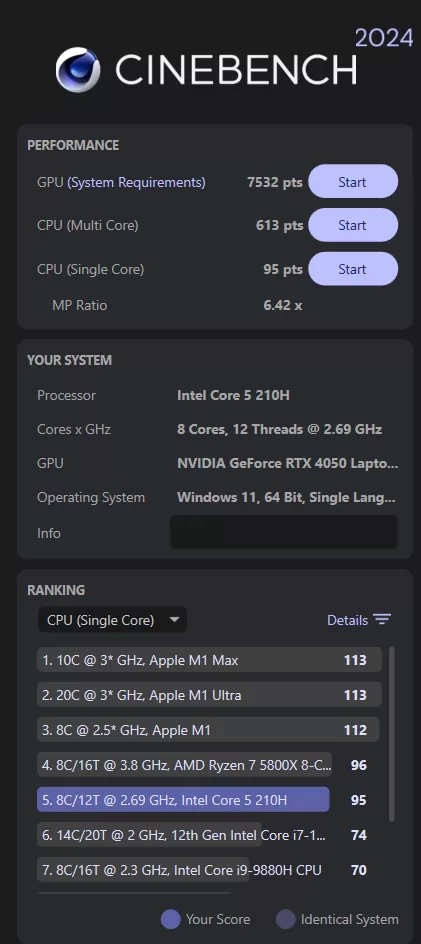
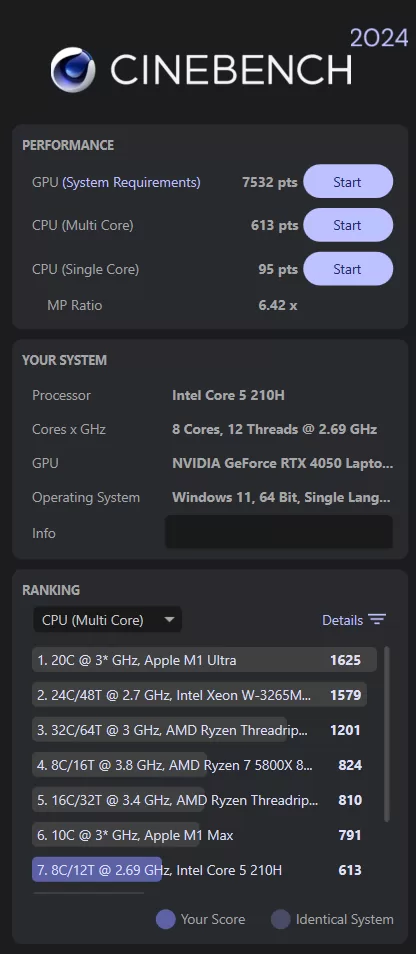
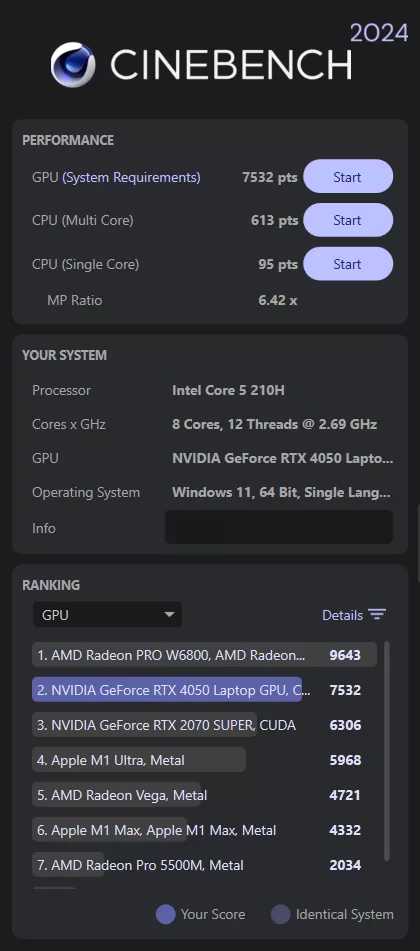
On paper, and courtesy of Geekbench and Cinebench, you get some decent performance for both single and multi-core performance for the Intel processor. As far as GPU performance goes, you get an even better deal. Of course, this is compared to specs in its weight division, so we can’t speak for devices that go beyond the PHP 100K price range.
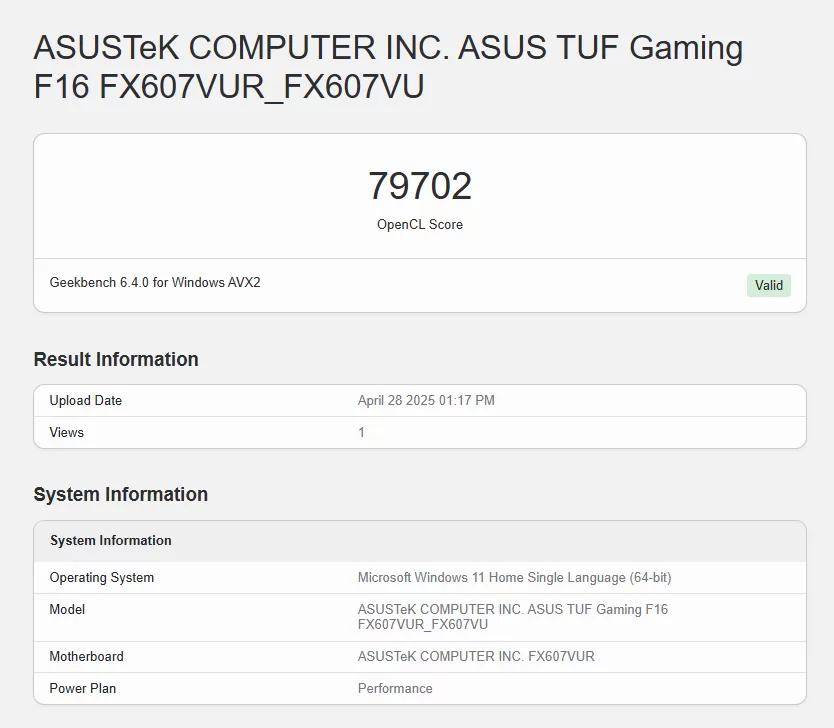
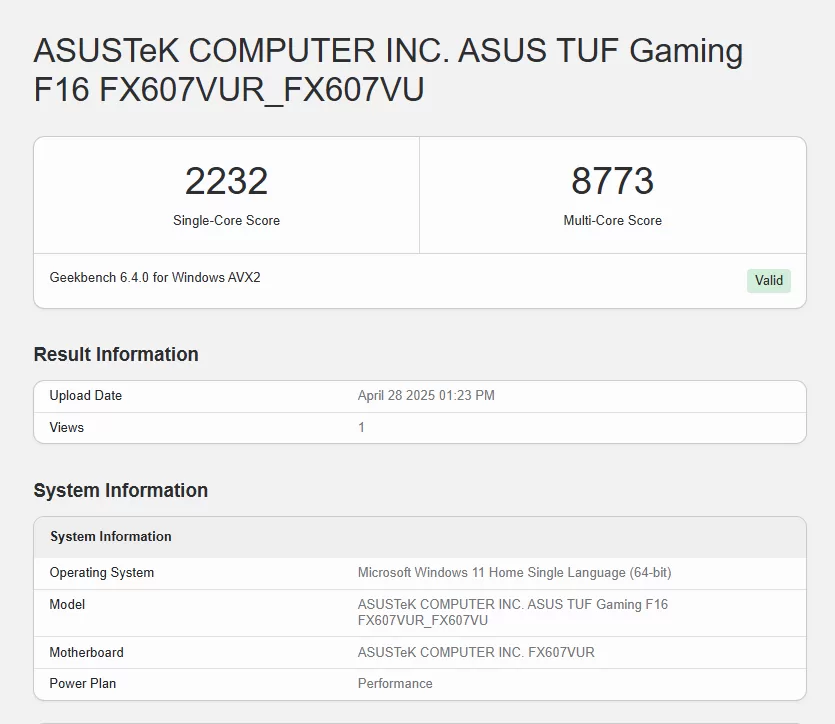
Overall, these should be enough to run anything you throw at it–within reason.
Gaming Prowess
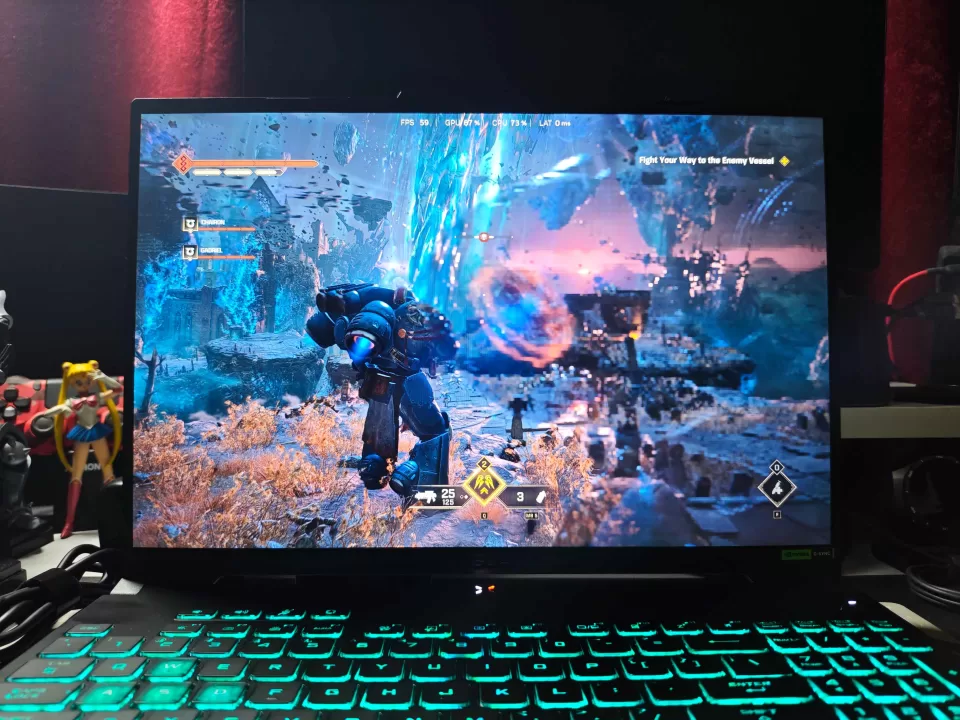
Now, for some real time testing. If your device is rocking a Intel Core 5 210H chipset, you still need to set your expectations. While it can run the most demanding titles and CPU-heavy productivity apps, you can’t exactly go wild. This is especially given it works in tandem with an RTX 4050 laptop graphics processor. 6GB to be exact. It’s also worth noting that the included 16GB of RAM will be running on single-channel, so it would be recommended to add another 16GB (or go 8+8GB to make your experience way smoother.
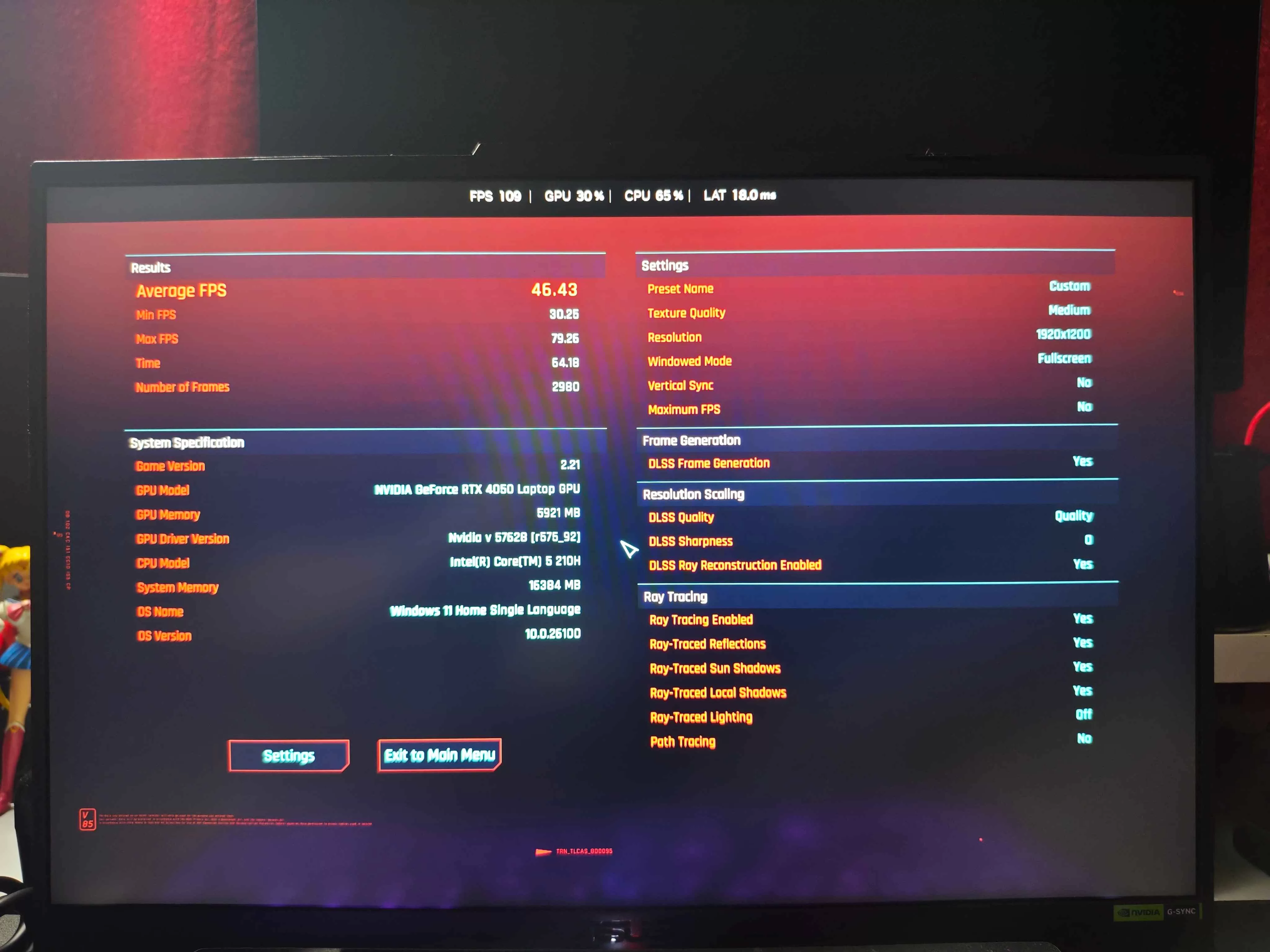
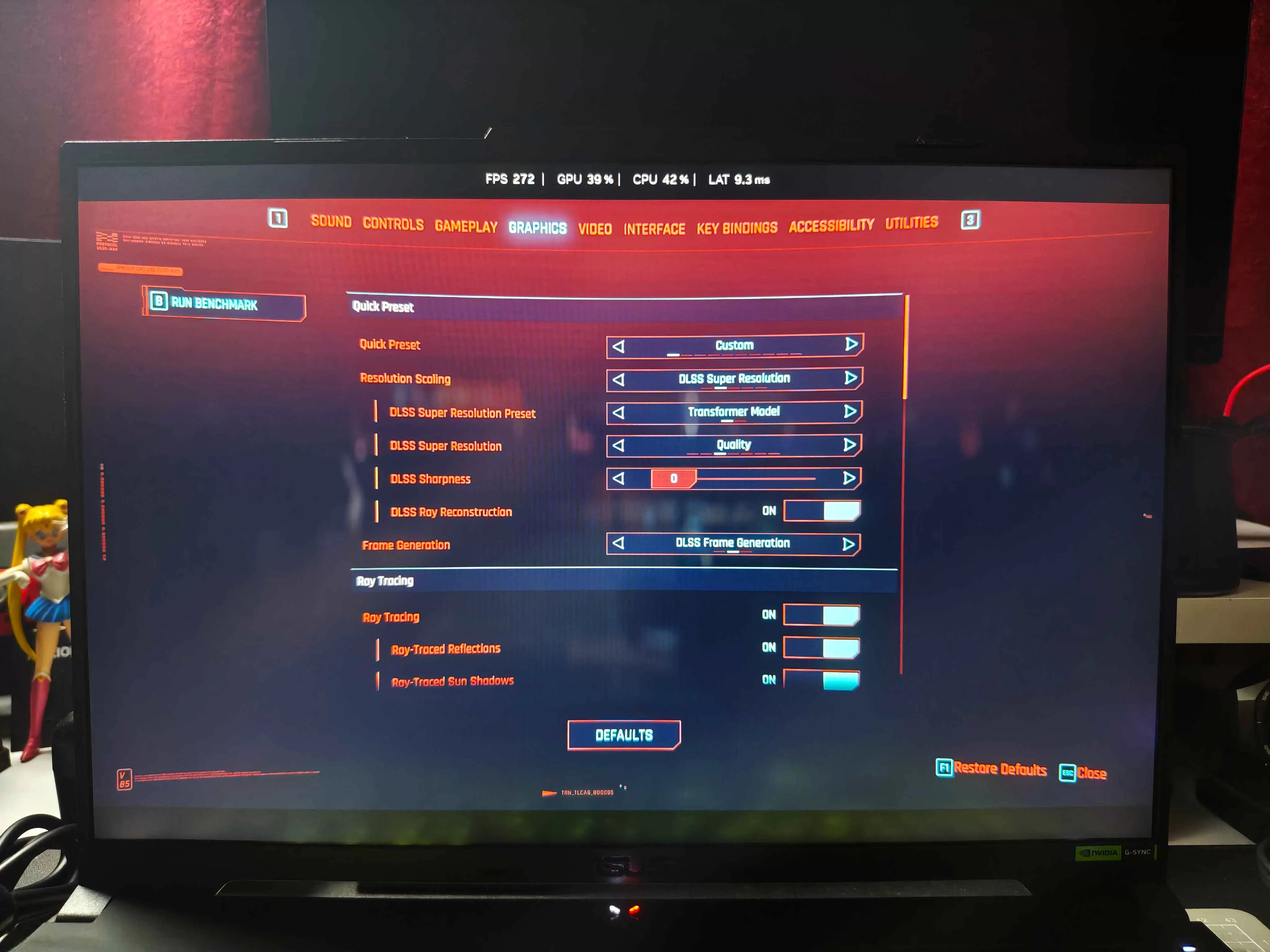
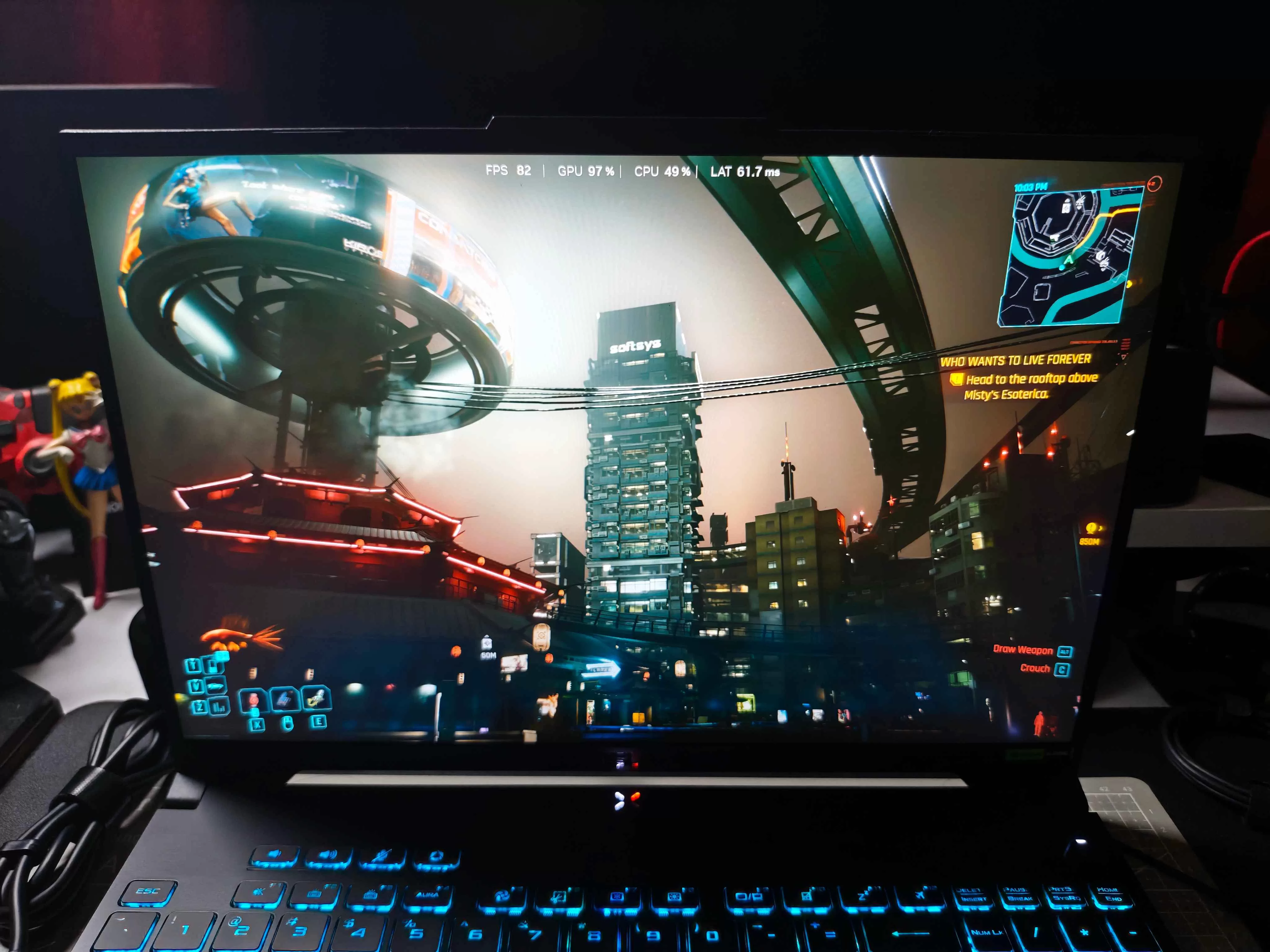
Make no mistake, these are capable specs. You can run the gauntlet of games from 2018 to 2023, max things out, and have a ball. Newer titles that really stretch the RTX capabilities are a different story. Case in point, Cyberpunk 2077–a not so old, not so new title can run smoothly right off the bat. Do a benchmark and make use of the NVIDIA software’s optimization and you’re golden. We played for hours without any stutters or frame drops.
A more GPU-intense game like Space Marine 2 required us to not only optimize via NVIDIA’s software, but also relent to the in-game preset configurations as well. Tweaking anything higher would either result in a slower experience, or the game’s elements going beyond the allotted 6GB of GPU VRAM.
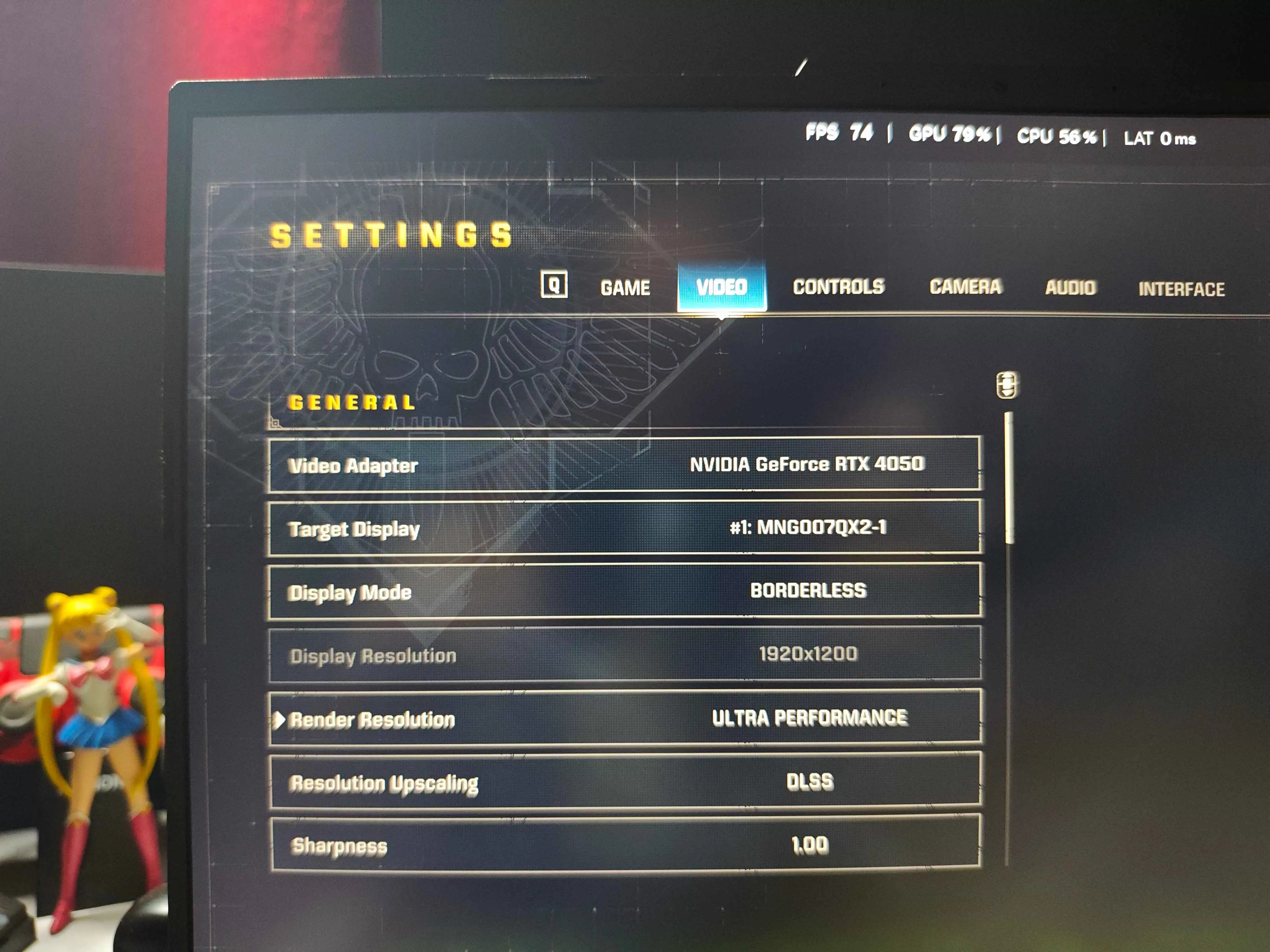
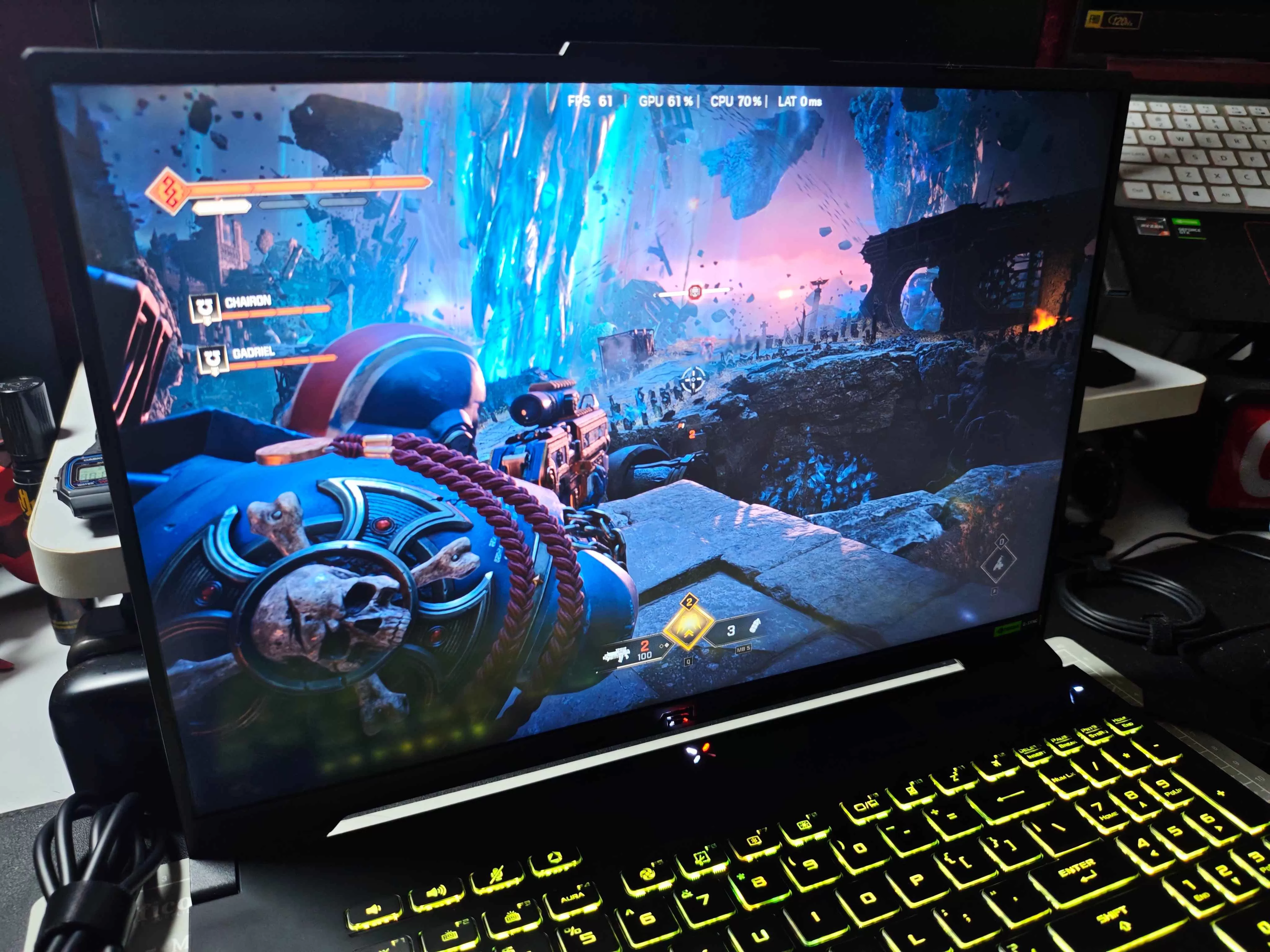
Still, all things considered, you won’t have any issues with esports titles or gacha games. You also get really good thermals, in exchange for some louder fan speeds. This is pretty much the case with any device that has less than 8GB of VRAM, so it really isn’t something to be concerned about.
Everyday Reliability
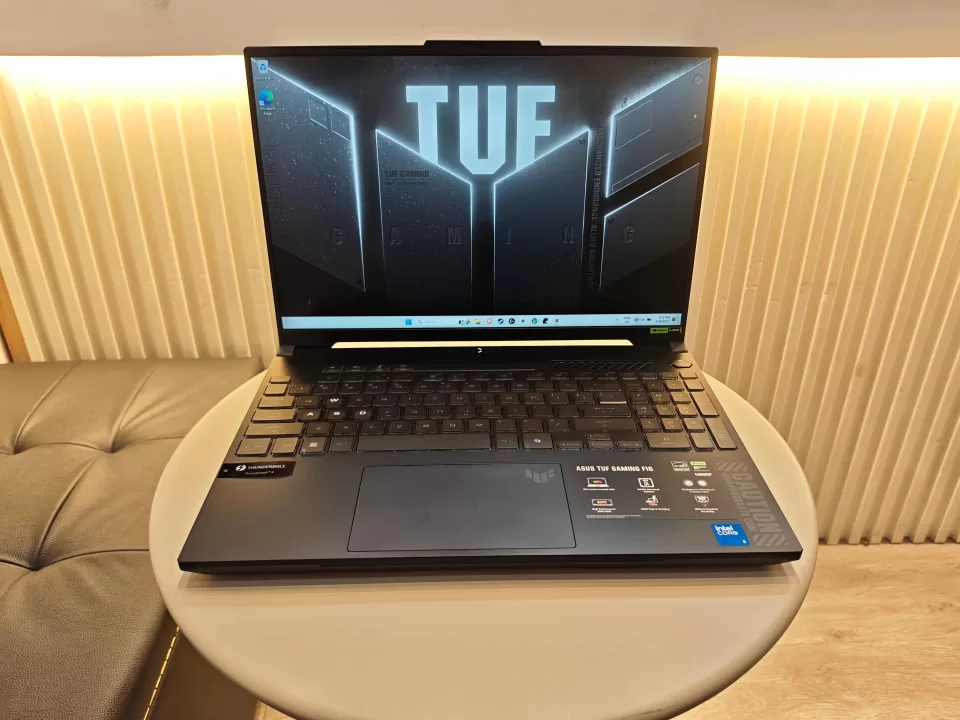
Productivity and gaming are two sides of the same daily coin–one is more loved than the other. In any case, you’ll have to buckle down and get stuff done at some point, and the ASUS TUF Gaming F16 can help out in that department.
First off, the full Microsoft Office suite will be your bread and butter in the workplace, and as it comes with every purchase, you’re already covered. As mentioned you get 16GB of DDR5 RAM that you could crank up to 64GB if you so desire. We did mention going dual-channel earlier, but that’s only of utmost importance if you’re heavy on gaming.
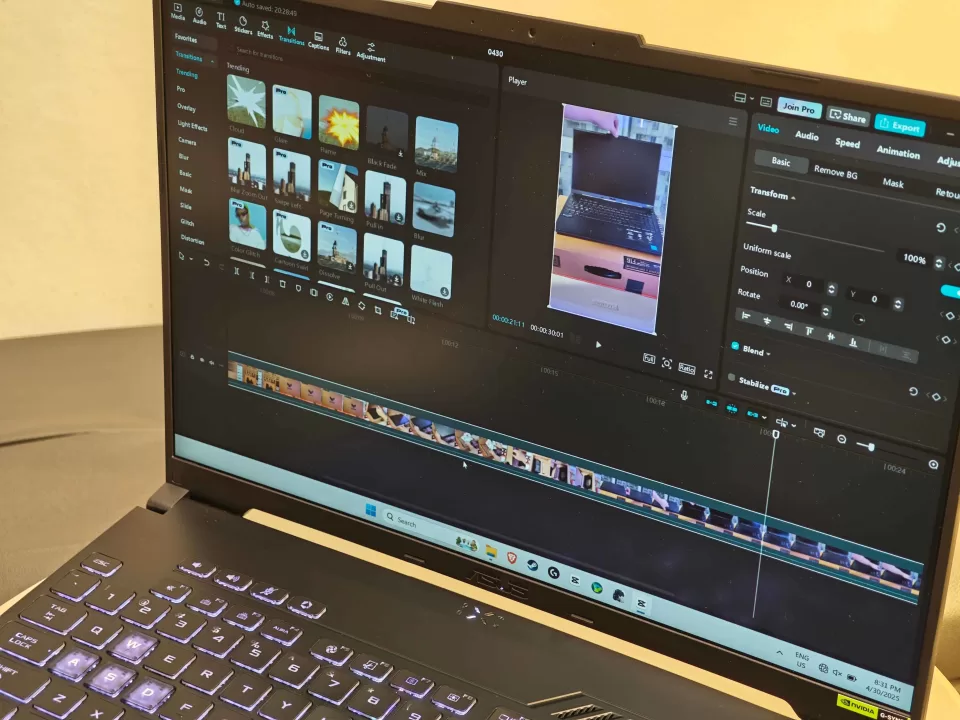
Storage-wise, you’ll be a tad limited from the get-go with only a 512GB PCIe 4.0 NVMe M.2 SSD. 1TB is the sweet spot nowadays, and having two drives is even better–one for storage and one as the boot drive. Upgrading might be the way to go.
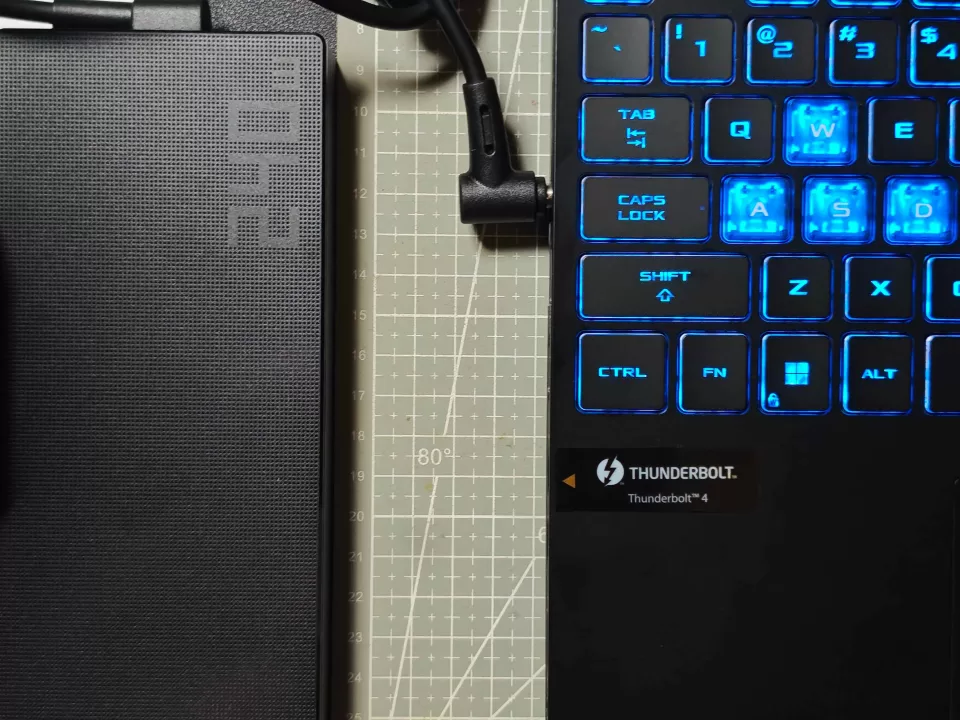
As for power, you’ll have lots of it. A 56WHr battery that can be easily topped up by a 240W charging brick. You can last a good 4 to 6 hours on battery power, for as long as you don’t do any heavy gaming. Speaking of lighter work such as browsing, the Wi-Fi 6 and Bluetooth 5.3 wireless card allow some great connectivity, as the whole Wi-Fi 7 craze hasn’t exactly bec0me the norm just yet.
Final Geek Lifestyle Verdict
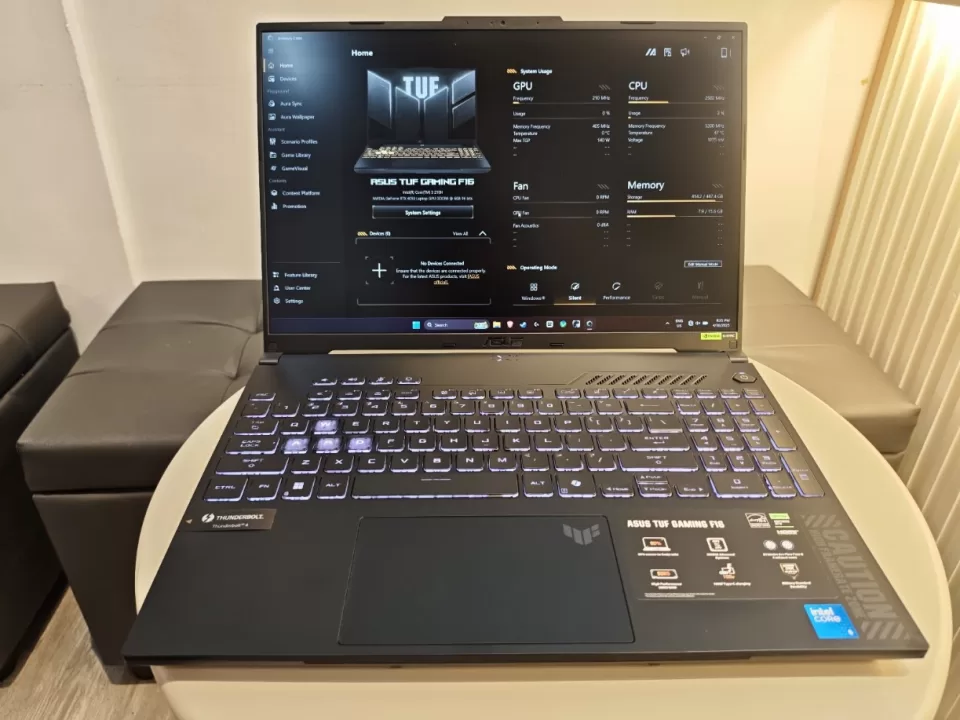
The ASUS TUF Gaming F16 (2024) still holds up today, and can be a compelling choice against its newer brethren that might cost a whole lot more. Given its hardware and software capabilities you have both a productivity and recreational device in one sturdy chassis.
Whether you’re looking for a portable workstation or a full-blown desktop replacement, choosing this laptop will be a decent choice.
The ASUS TUF Gaming F16 FX607VU comes in with an MSRP of ₱79,995. You also get Microsoft Office Home 2024 and 1 Year Microsoft 365 Basic subscription for free. For more information, make sure to visit the official website and Facebook page.
ASUS TUF Gaming A14 (2024) Specs:
- Processor: Intel Core 5 Processor 210H
- Installed Memory: 16GB DDR5-5600 SO-DIMM
- Operating System: Windows 11 Home
- GPU: NVIDIA GeForce RTX 4050 Laptop GPU, 6GB GDDR6
- Storage: 512 TB PCIe 4.0 NVME SSD
- Display: 16-inch Anti-glare display, FHD+ 16:10 (1920 x 1200, WUXGA), Refresh Rate: 144Hz, Response Time: 7ms, G-Sync, MUX Switch + NVIDIA Advanced Optimus
- Ports:
- 1x 3.5mm Combo Audio Jack
- 1x HDMI 2.1 FRL
- 1x Thunderbolt 4 with support for DisplayPort (data speed up to 40Gbps)
- 1x RJ45 LAN port
- 1x USB 3.2 Gen 2 Type-C with support for DisplayPort / power delivery / G-SYNC (data speed up to 10Gbps)
- 2x USB 3.2 Gen 1 Type-A (data speed up to 5Gbps)
- 1x 3.5mm Combo Audio Jack