

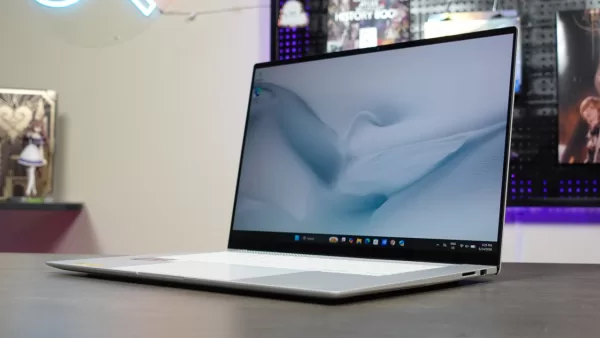
Following its recent launch in the Philippines, we got to test out the ASUS Zenbook S16 (UM5606GA), a premium productivity laptop with an impressive design and capable hardware.
As its name implies, the Zenbook S16 has a large 16-inch display. Because of this, it’s also a noticeably big laptop, especially when you compare it to the more typical productivity notebook with a 14-inch screen. Even with its bigger footprint, the S16 still promises to be easy to bring everywhere, as it only weighs 1.4 kilograms. What’s more, the laptop’s design promises to be durable without sacrificing style. As for performance, the laptop should be great for productivity, courtesy of its powerful Ryzen 9 processor that’s paired with 32GB of memory.
Taking all of these into account, the S16 (UM5606GA) offers an interesting proposition, as it’s a much larger premium laptop that’s aimed towards users who want a standalone monitor-level screen to work while on the go. So, does this new Zenbook deliver in actual use? Here’s what we think!
Geek-sthetic

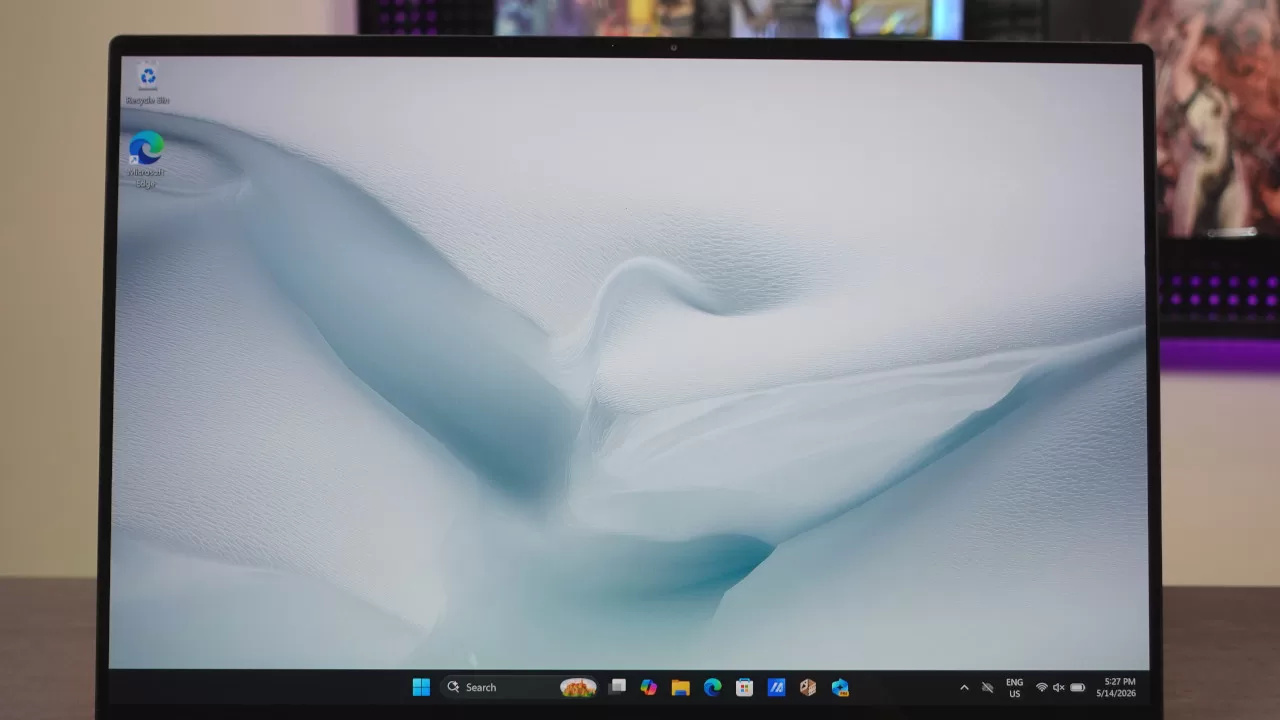
Once you get hold of this new Zenbook, what will immediately catch your attention is its large display. As mentioned above, this laptop has a 16-inch screen with a 3K resolution, complete with slim bezels. It’s also an OLED panel, meaning it’s noticeably more vibrant than your typical laptop screen.
What you may not know is that the S16’s display is a touch screen. Sure, it’s not a convertible laptop that comes with a stylus, but the touch display does give you more control options, which is nice given that Windows 11 is fairly touch-friendly (at least, when compared to previous Windows versions). While I still prefer navigating with a mouse or with the laptop’s trackpad, the touch display is a nice bonus for users who like having a laptop with one.
After the initial wow-factor of the display wore off, the laptop’s material was the next thing about it to impress us. This laptop features a Ceraluminum chassis, an ASUS-exclusive material. In case you’re unfamiliar, Ceraluminum is what ASUS calls its proprietary material, as it combines the lightness of aluminum with the durability and feel of ceramic.
This isn’t technically made with ceramic, as the material is produced via an electrolytic oxidation process, producing a scratch-resistant matte finish. When you hold and use the laptop, the Ceraluminum material definitely makes a difference, as it feels great in hand. It also looks especially beautiful and ceramic-like in its Scandinavian White colorway. In fact, if you ask us, this is one of the prettiest laptops we’ve ever reviewed, to the point that we wouldn’t even cover the lid with stickers if we got one for ourselves.
Along with being pretty, the laptop also feels light, which is great for portability. This is further complemented by the fact that it’s incredibly thin. Of course, you’ll need a bag with bigger dimensions for this to fit, but once it’s inside your bag, it doesn’t add much weight.
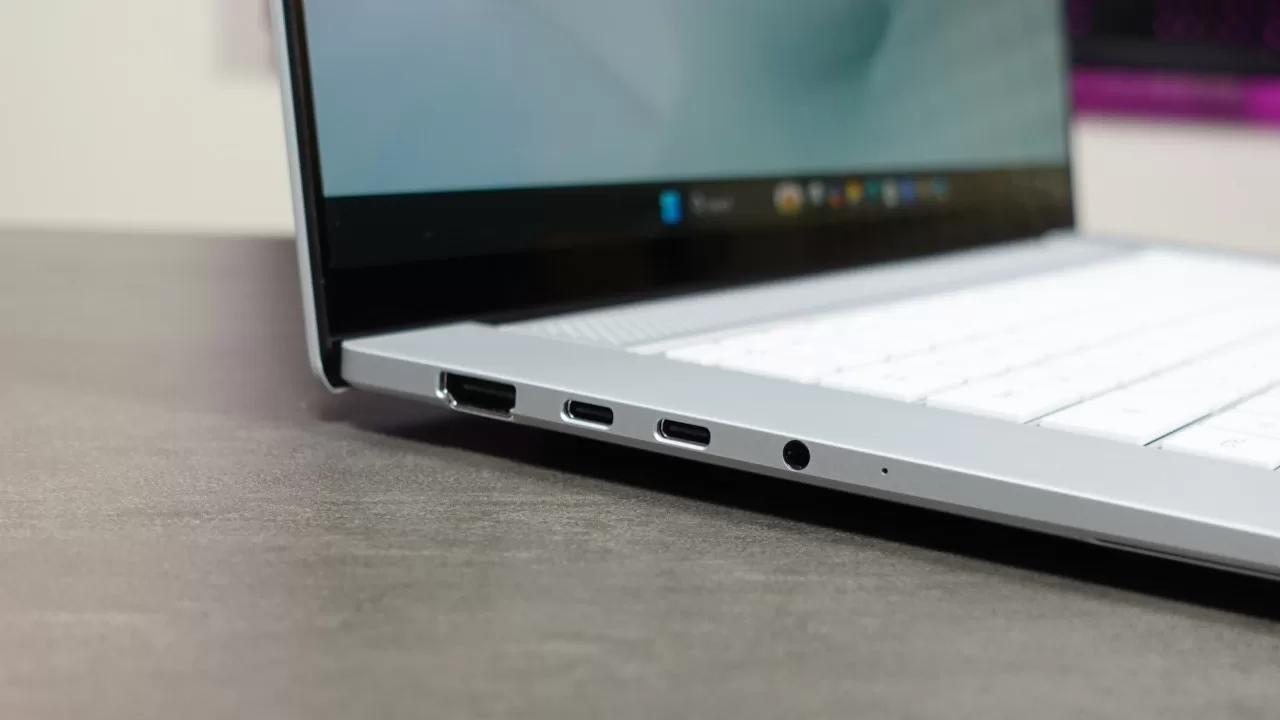
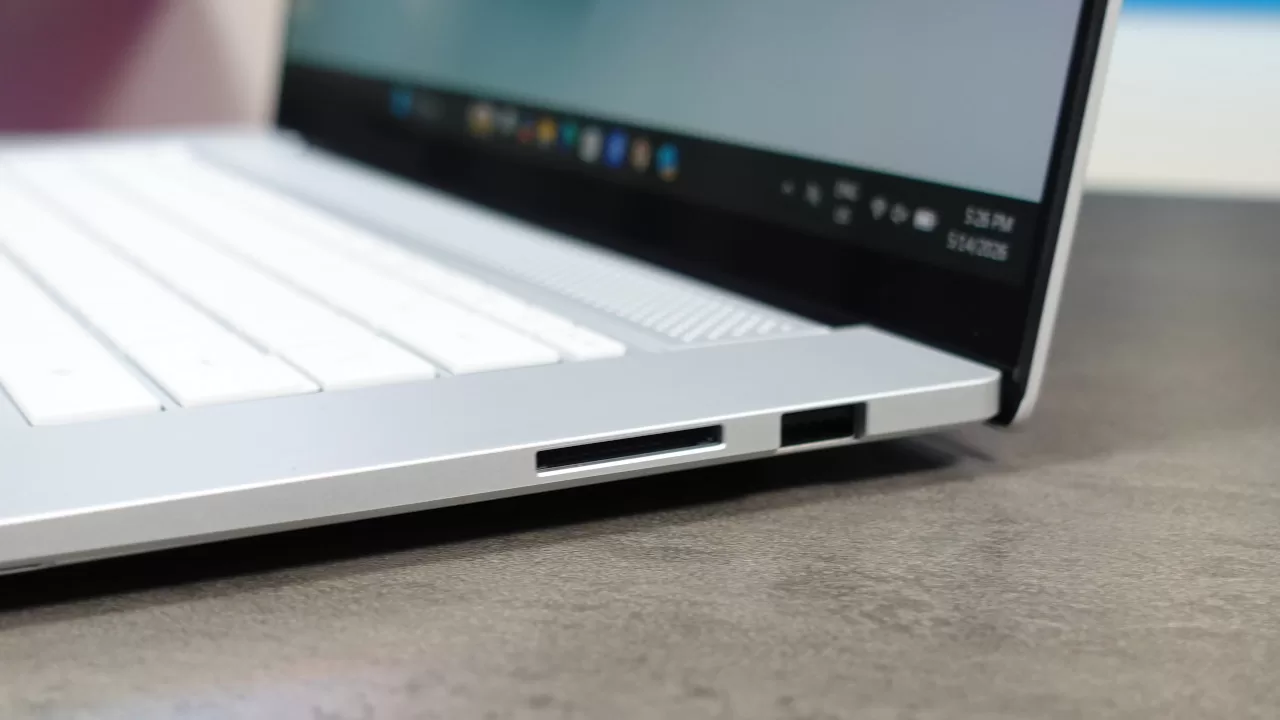
Moving to the side, we can see the laptop’s connectivity options, which include two USB Gen 3 Type-C (with support for display/power delivery) ports, one USB 3.2 Gen 2 Type-A, one HDMI 2.1, one 3.5mm headphone/mic combo jack, and one SD 4.0 card reader.
Having a full-sized card reader is definitely welcome, as this is great for photographers or content creators with cameras that have SD cards. For reference, many productivity laptops either don’t have a card reader or just have one that supports microSD cards. On the flip side, we would’ve liked to have at least one extra USB Type-A port, especially for connecting peripherals. While the I/O here is good, you may want to get a USB hub for more connectivity options.
Binge Watching Factor

Going back to its display, while it’s made to be great for productivity (as it also has a tall 16:10 aspect ratio), we also found it to be a great partner for binge-watching.
This didn’t surprise us much, given that the Zenbook S16 has an OLED panel. Thanks to this, the colors are vibrant, complemented by true blacks. The slim bezels also help in giving you a more immersive, all-screen view for movies and shows, though the biggest factor in making it a great movie-watching device is the screen’s size. Having a 16-inch screen means you get a better experience, even when you’re watching widescreen (2.39:1) blockbuster movies.
As for brightness, this laptop didn’t disappoint. Even if you’re in a bright room, you won’t need to crank the brightness all the way to 100 to get a clear picture. You can even use this while outdoors, just make sure you don’t use it directly under sunlight, as even bright displays can struggle on a sunny day.
Sound Trip
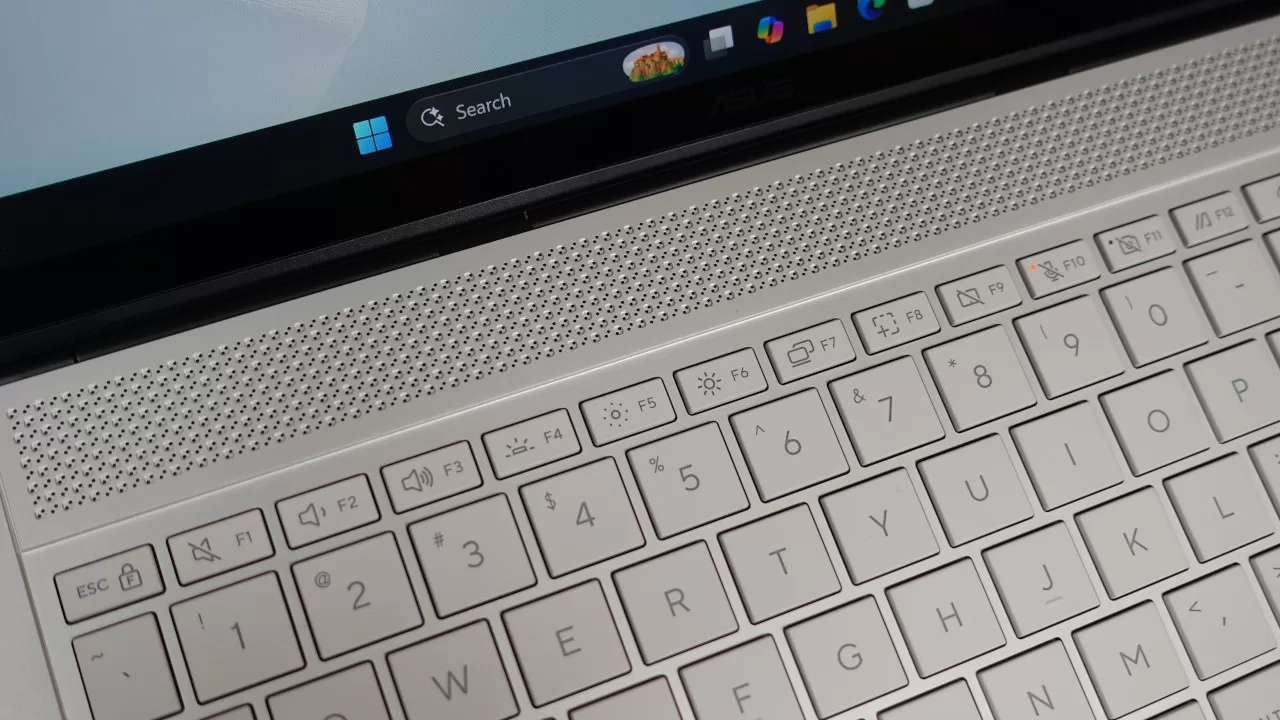
Because of the size, the laptop packs great onboard speakers. When you set the volume to 100, you’ll get sound that can fit a small room, all while being clear and having good bass extension. Compared to smaller laptops, the Zenbook S16 definitely wins in terms of speaker sound quality.
Of course, if you want more immersive sound, you can connect an external audio device. Thankfully, you won’t be limited to wireless connections, as the laptop has a dedicated 3.5mm audio port.
Typing Experience
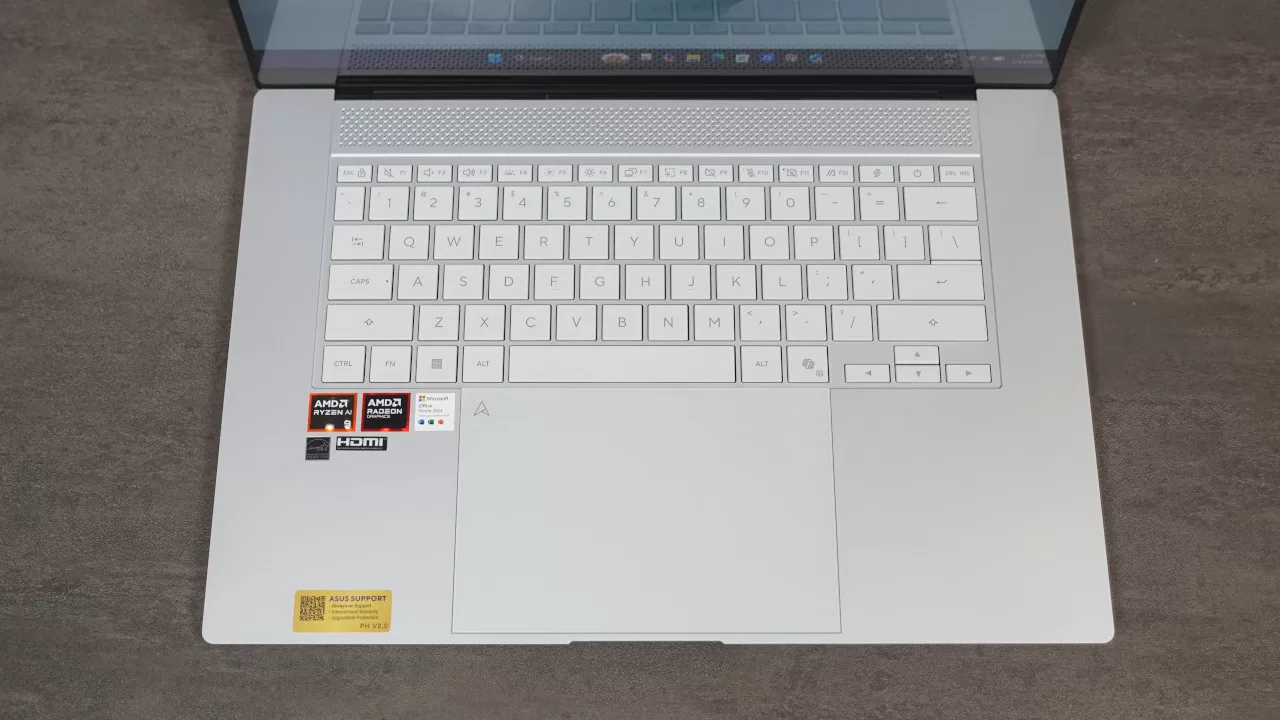
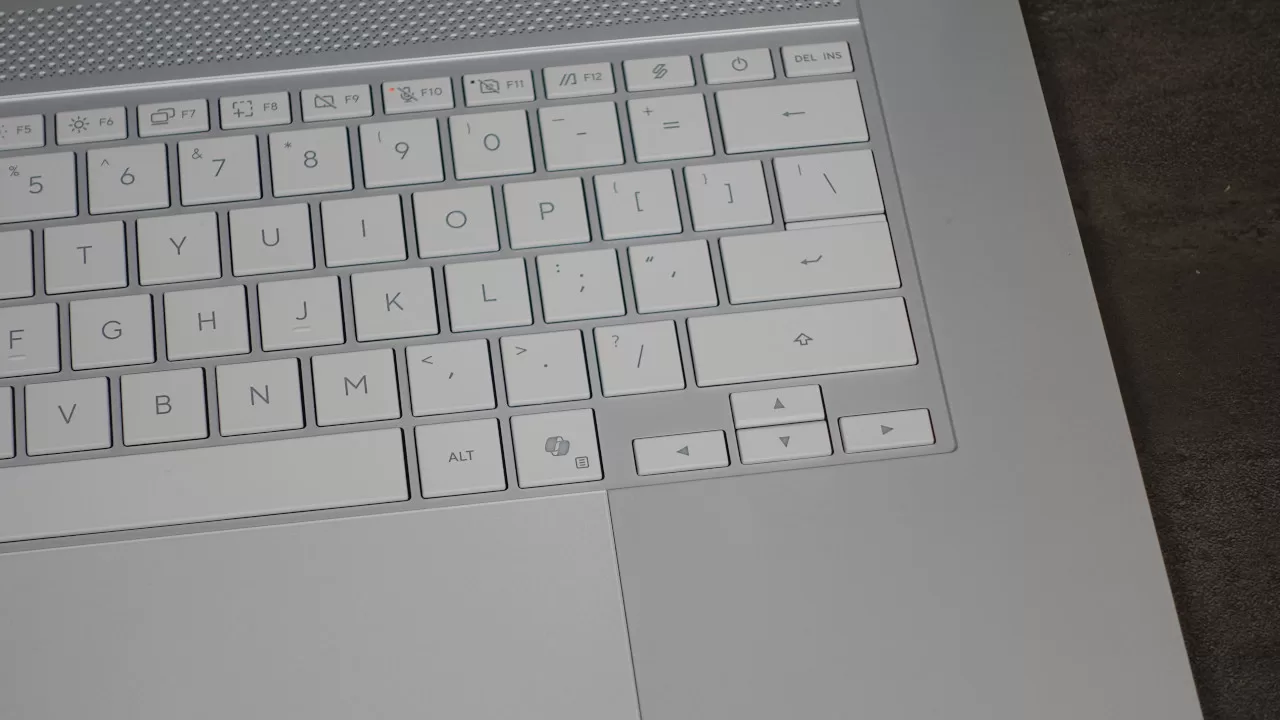
An interesting design decision that ASUS made for this laptop is its keyboard. Even though it has a bigger footprint, the Zenbook S16 does not have a dedicated number pad. This is far from a dealbreaker, though we did notice that it also lacks a Print Screen button, as it instead has the ScreenXpert button. When pressed, a pop-up is displayed on the screen, which has handy shortcuts to control the fan profile, battery mode, print screen, and others. You can also set up which shortcuts are available on the pop-up Window.
When it comes to typing, the Zenbook S16’s keyboard feels great to use, as the keys are spaced well and have a pretty good tactile feel (for a membrane keyboard). Below, you get a large trackpad that’s great for navigation. In fact, while I like having a mouse for work, I had no issues working with just the trackpad. The only thing we think that could be improved here is the power button placement. As it’s between the ScreenXpert and Delete buttons, we accidentally pressed it twice during our time with it. Again, this isn’t a dealbreaker, though we would’ve liked it if it were either more depressed or if it were put on the top right corner.
Gaming Prowess
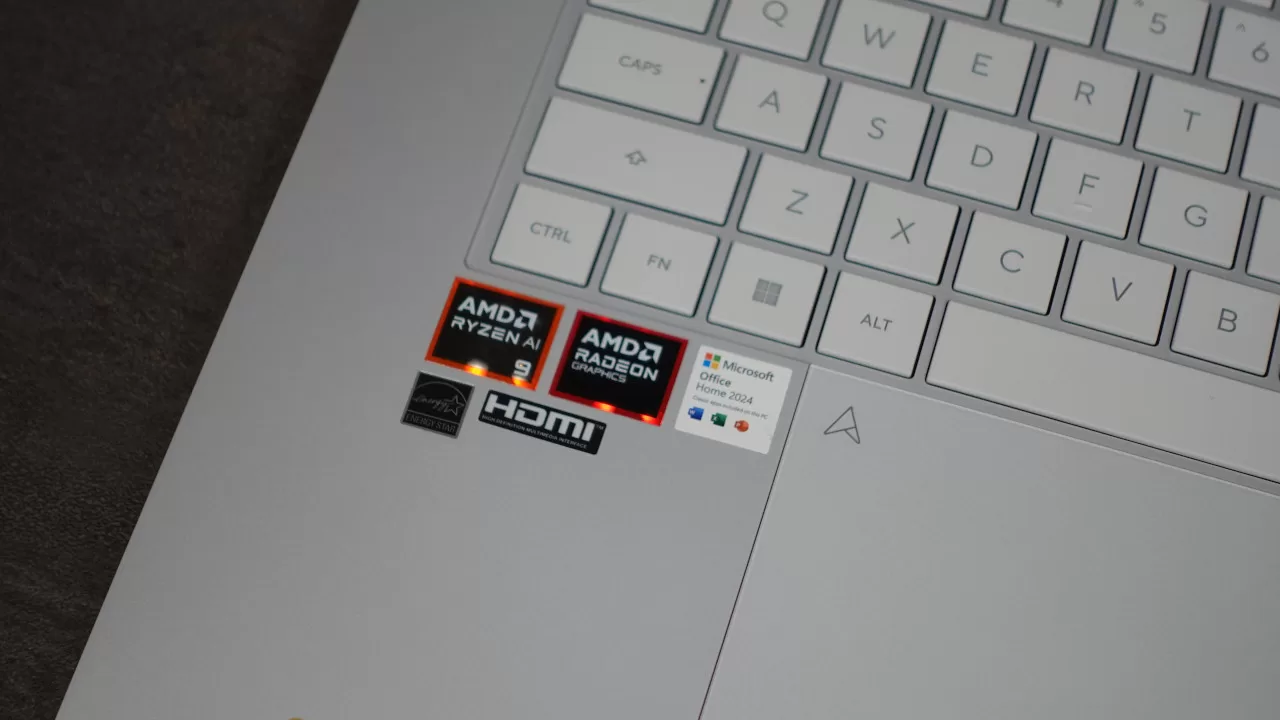
This Zenbook is designed as a productivity laptop that’s easy to bring everywhere, and as such, it’s not billed as a powerful gaming partner. Despite this, we were curious to try out the laptop for gaming. After all, we reviewed the Zenbook 14 recently, which is powered by a Ryzen 7 445, and it was able to run older triple-A titles (albeit at 720p). Given that the Zenbook S16 has a more powerful Ryzen AI 9 465, we wanted to see if this would be even better for gaming.
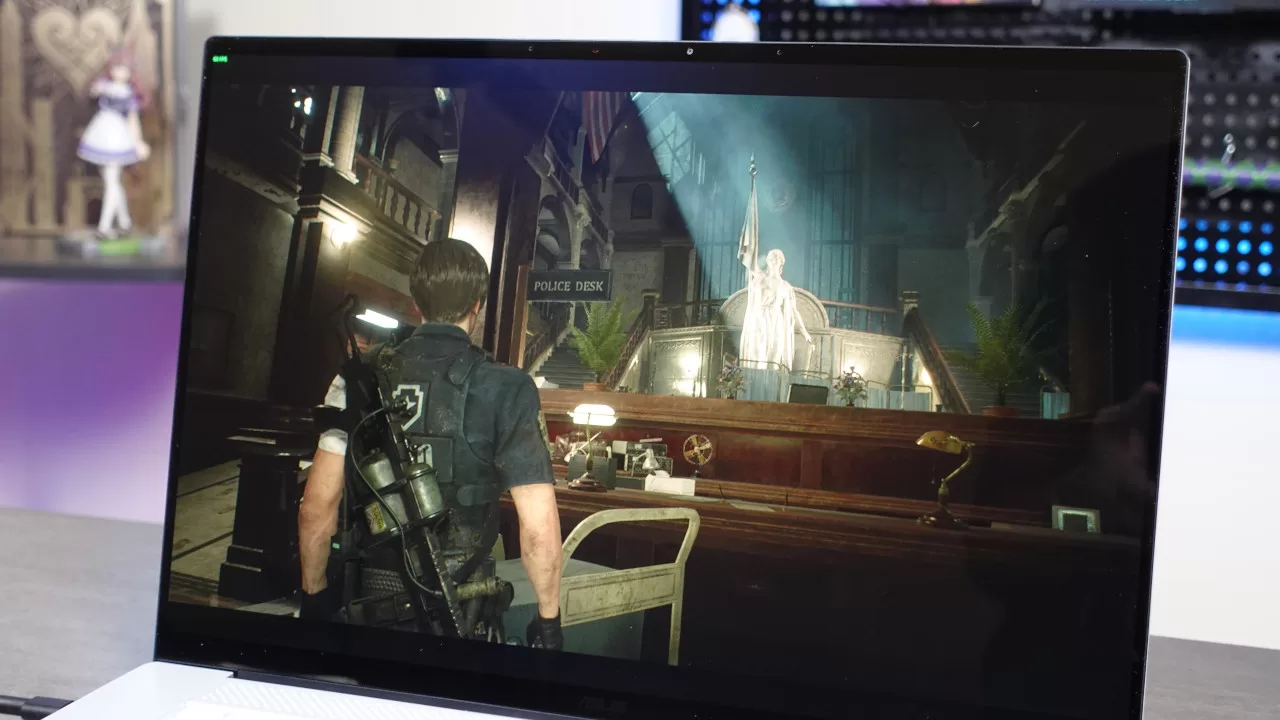
Once again, we went with Resident Evil 2 Remake, as it’s a fairly old triple-A game at this point, but still looks good while being a fairly good representation of a less demanding triple-A game. The Zenbook S16 ran RE2 Remake quite well. After tweaking the settings to around Medium or High for each graphics option, the game ran at a mostly smooth 60 FPS, without much in the way of big framerate dips, all that at 1080p. This means the Ryzen AI 9 CPU and integrated GPU combo on this laptop is quite powerful.
Based on this result, it should come as no surprise that the S16 can also run popular multiplayer games smoothly, even at higher settings. For instance, Dota 2 and Overwatch both ran at a smooth 60 FPS even at 1080p with a mix of medium and high for the graphics options.
Meanwhile, you can check out the synthetic benchmark results here:
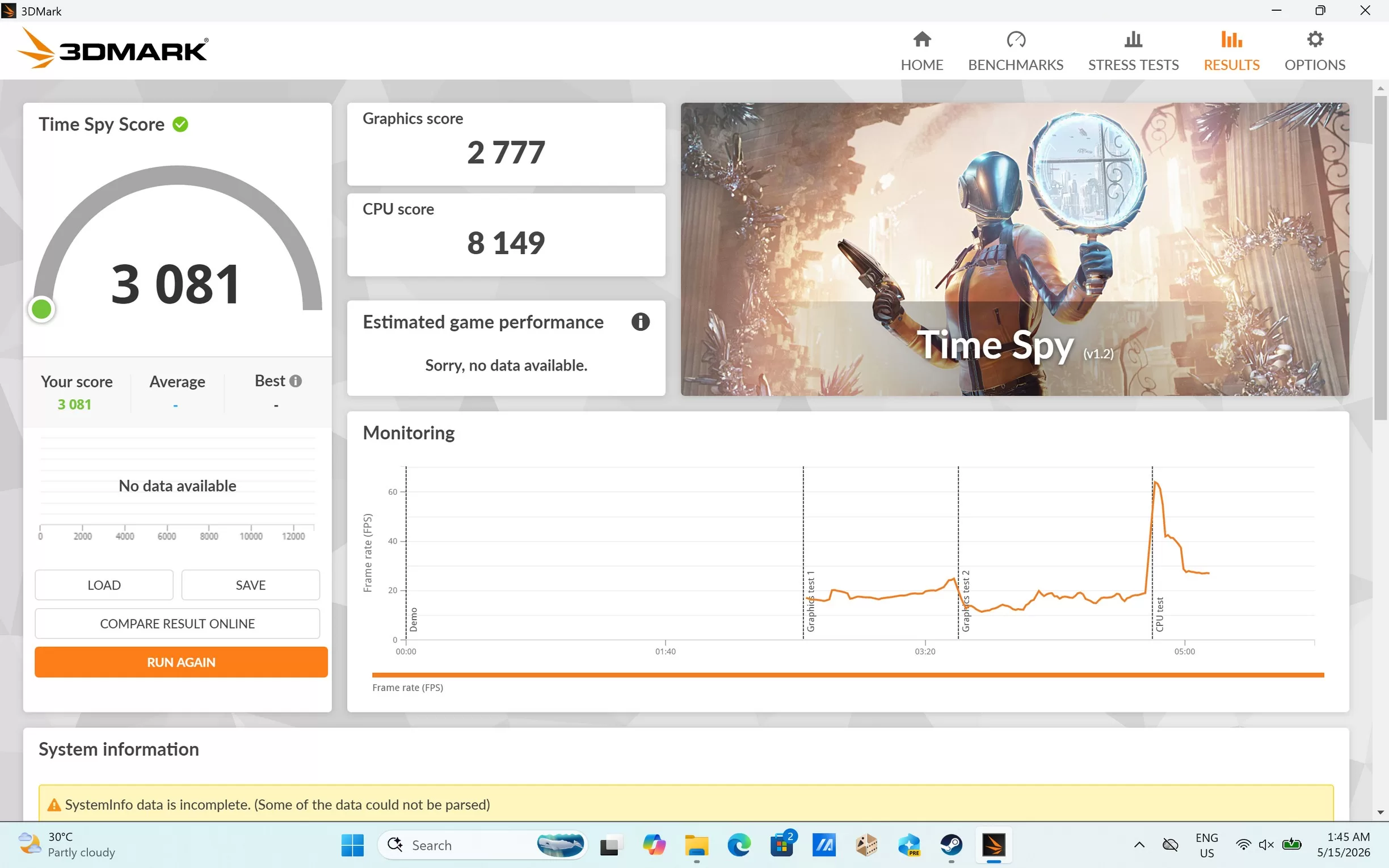
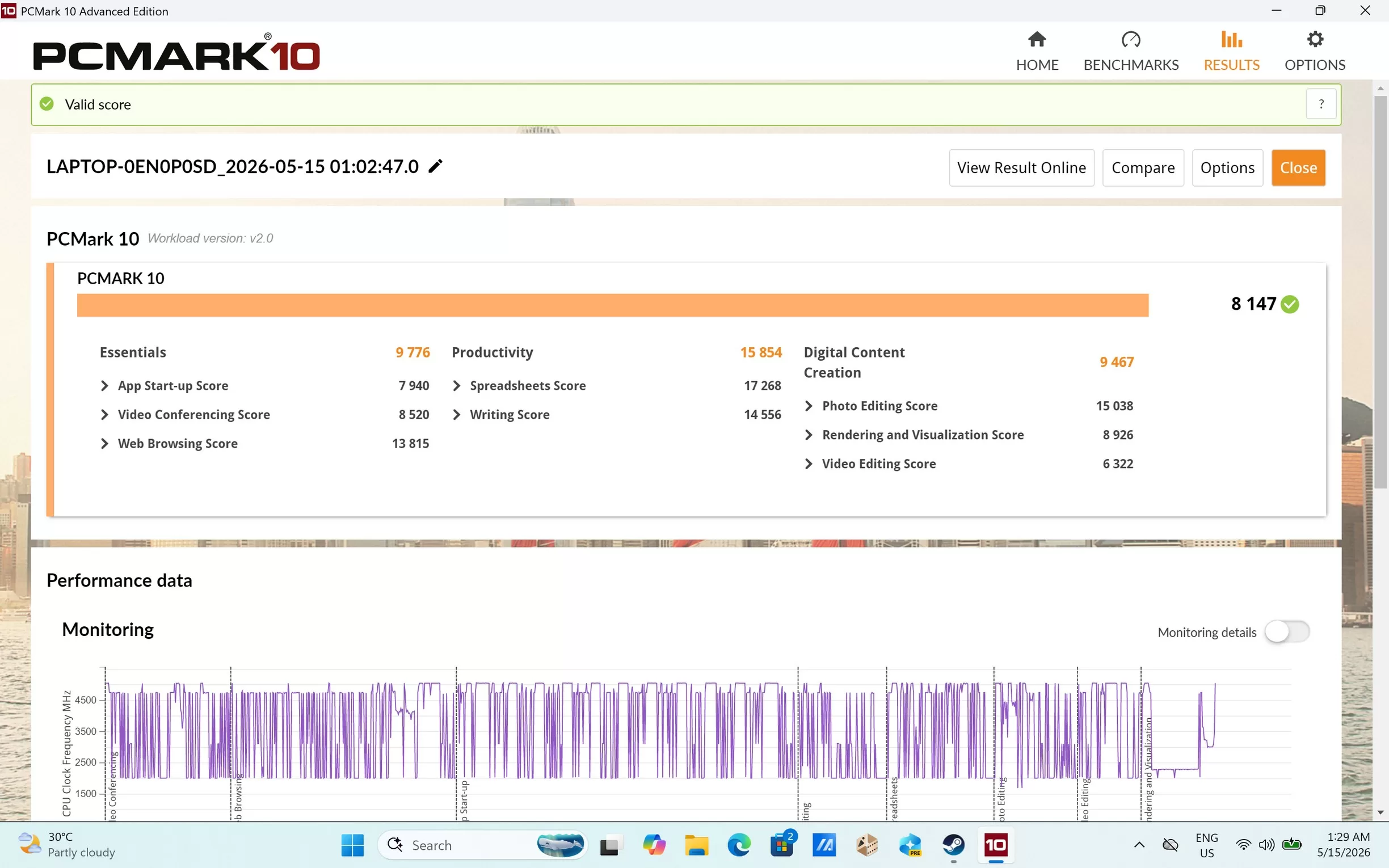
As shown in these scores, there’s a lot of power under the hood of this Zenbook, which is impressive given how thin and light it is. While we still would go for a dedicated gaming laptop if we want to heavily play newer triple-A games, the S16 won’t disappoint users who want to game casually from time to time.
Everyday Reliability
With how surprisingly good its gaming performance is, it makes sense that the Zenbook S16 also works well as a productivity partner, whether it’s for office work or even some content creation workloads.
Thanks to the powerful processor and 32GB of RAM, the laptop was fast and snappy for web browsing (even when you have plenty of tabs open), as well as for opening 100-page PowerPoint presentations and large Excel spreadsheets. It’s also capable of video editing, even if your video files are high resolution. Of course, this isn’t a workstation-level laptop, but if you’re a hobbyist or a content creator for web/social, the S16 should be a reliable partner.
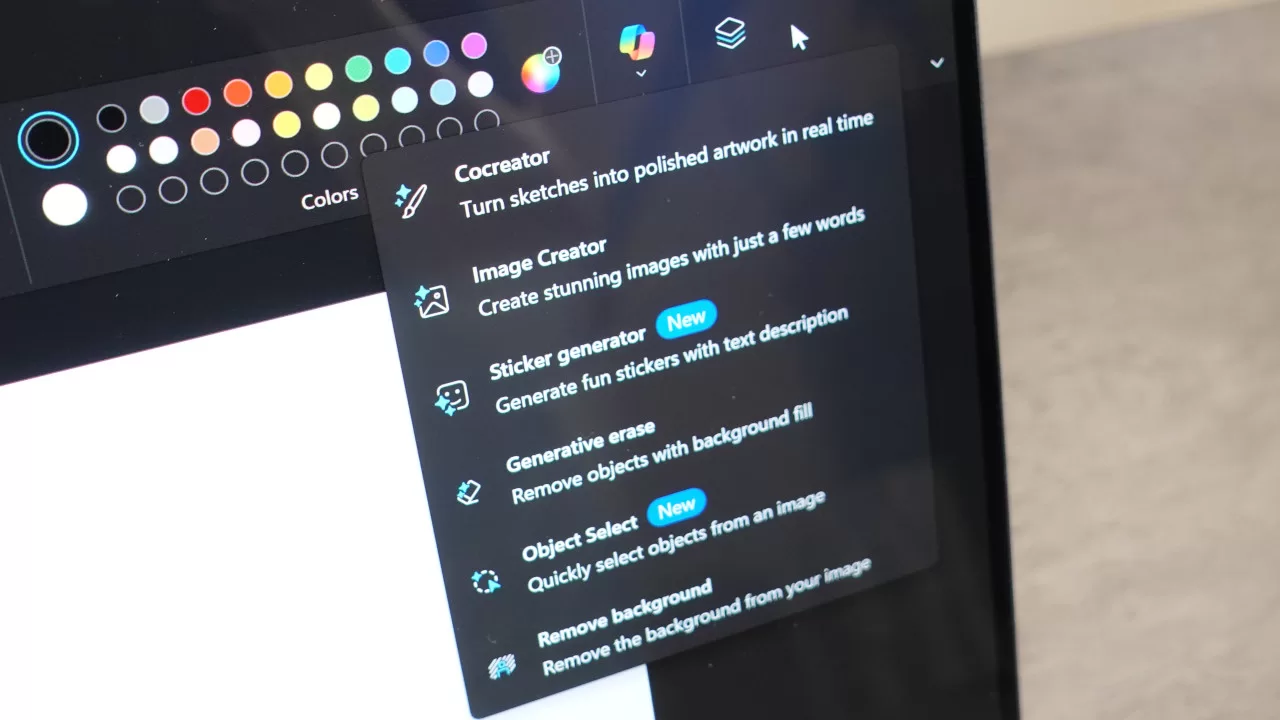
Another thing worth noting about the Zenbook S16 is the fact that it’s a Copilot+ PC. This means you can use the latest Windows 11 on-device AI features like image generation and object select via Microsoft Paint.
While this can be useful for some users, these AI features aren’t the “killer apps” that Microsoft touts them to be. As such, you can think of the AI features on the laptop as bonuses instead of being the main reason to get them. Thankfully, there are plenty of good reasons to splurge on this laptop. Aside from its great performance, it also has a long battery life.
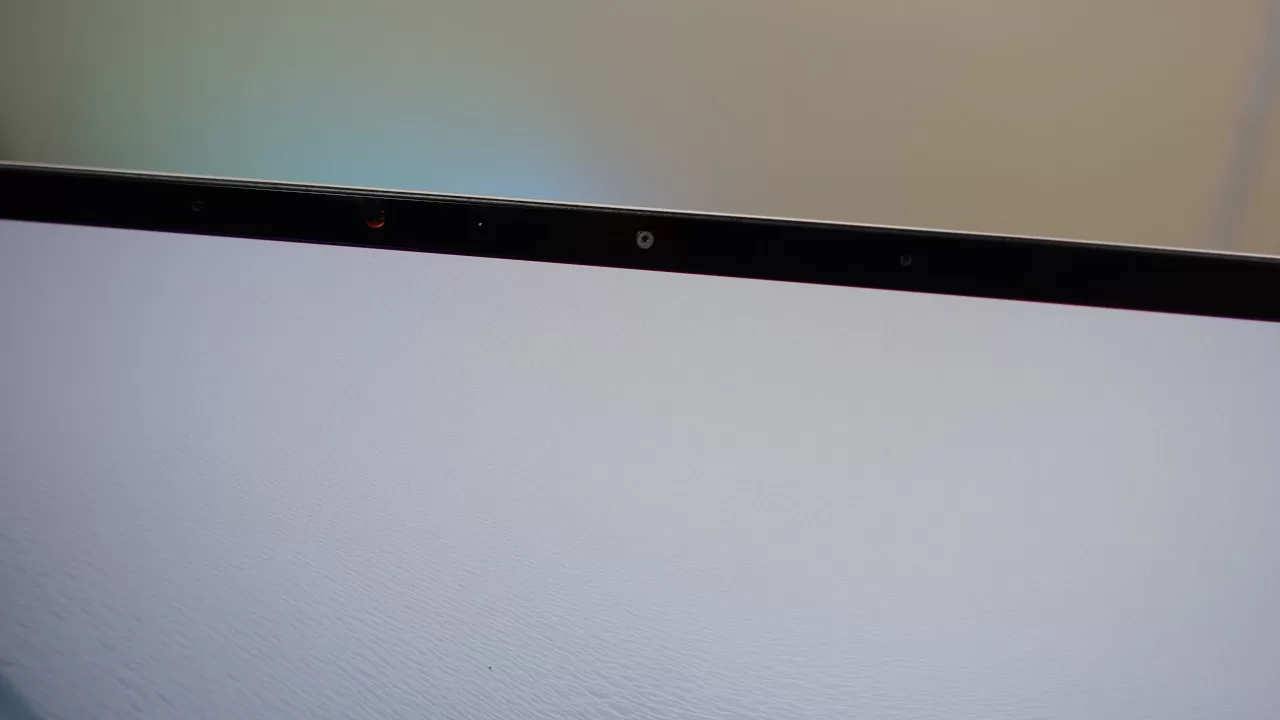
ASUS says that this is an all-day laptop, and in our tests, it did not disappoint. We tried bringing the laptop out to work while outside, and after essentially a full work day, it still had some charge left.
We also tested it by running a 2-and-a-half-hour movie at 50% brightness and volume. After the movie ended, the laptop still had 78% remaining. Thus, this laptop should be good for 8-10 hours of use on a single charge for productivity or entertainment purposes.
Final Geek Lifestyle Verdict
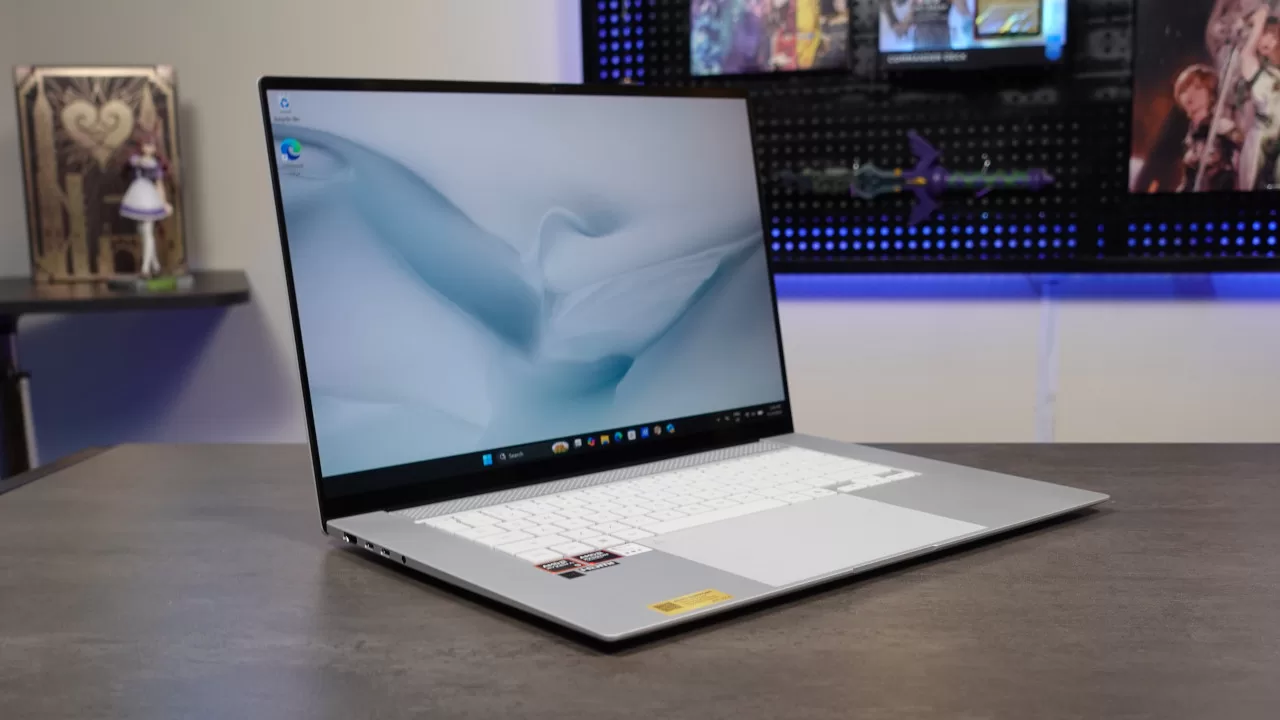
After testing the Zenbook S16, we came away impressed with its capabilities in terms of performance and battery life. Best of all, it has a large, high-quality screen, as well as a beautiful design that’s also built to be tough. Overall, this new laptop from ASUS has no glaring weaknesses.
As for whether we recommend getting it, that depends on the user. At its initial SRP of PHP 134,995, this laptop is a significant investment. Because of this, the S16 is worth the splurge for users with a big budget who prioritize having a laptop with a large screen and a premium build, without sacrificing performance.
ASUS Zenbook S16 (UM5606GA) specs:
- Processor: AMD Ryzen AI 9 465
- Installed Memory: 32GB LPDDR5X
- Operating System: Windows 11 Home
- Storage: 1TB M.2 NVMe PCIe 4.0 SSD
- Display: 16-inch 3K (2880 x 1800) ASUS Lumina OLED 16:10 Touchscreen
- Battery: 83WHrs, 4S1P, 4-cell Li-ion
- Color: Scandinavian White
- Ports:
- 2x USB 4.0 Gen 3 Type-C with support for display/power delivery (data speed up to 40Gbps)
- 1x USB 3.2 Gen 2 Type-A (data speed up to 10Gbps)
- 1x 3.5mm Combo Audio Jack
- 1x HDMI 2.1 TMDS
- 1x SD 4.0 card reader
- Price: PHP 134,995