

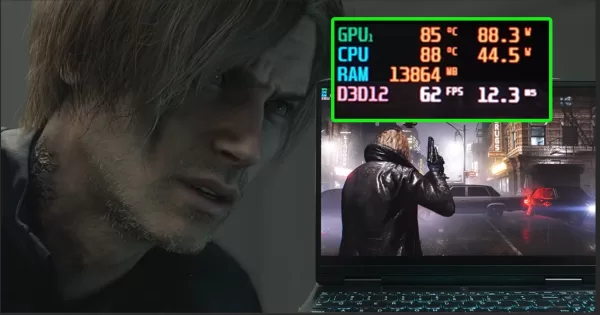
Resident Evil Requiem is a gorgeous game, but you don’t need a high-end PC to run it. This might come as a bit of a surprise to some gamers, especially considering that Requiem is exclusive to the current console generation.
Previous Resident Evil games (like Village and RE4 Remake) were also released on last-gen consoles like PS4, so these are certainly able to run smoothly on more modest hardware. We were curious about how the latest game in the series runs on older setups, so we tested it out. It turns out that Requiem is very much playable on older PCs.
So, if you’re a student with an entry-level gaming laptop or if you’re using an older family PC, Resident Evil Requiem should run smoothly. Before going over how well the game actually runs on these, it’s first important to check the game’s PC system requirements.
Resident Evil Requiem – Minimum and Recommended Specs at a Glance

According to Capcom, your PC or laptop should meet the following specs requirements:
| Minimum | Recommended | |
| OS | Windows 11 (64bit required) | Windows 11 (64bit required) |
| PROCESSOR | Intel Core i5-8500 / AMD Ryzen 5 3500 | Intel Core i7-8700 / AMD Ryzen 5 5500 |
| MEMORY | 16 GB RAM | 16 GB RAM |
| GRAPHICS | GeForce GTX 1660 6GB / Radeon RX 5500 XT 8GB | GeForce RTX 2060 Super 8GB / Radeon RX 6600 8GB |
| DIRECTX | Version 12 | Version 12 |
As you can see, while you’ll need a pretty capable CPU and GPU combo to play the game at higher settings, if you simply want to play at 1080p with Low graphics settings, your rig doesn’t have to be all that powerful. For reference, the Intel Core i5-8500 was released back in 2018, while the GeForce GTX 1660 6GB was launched in 2019.
Thus, even if you’re rocking a six or seven-year-old PC, your setup should still be enough for Requiem on paper. In practice, we found that you can even run the game on older hardware at the right graphics settings.
Can Requiem Run on a Student Laptop?

The system requirements mention PC components. Because gaming laptop hardware differs in terms of performance, we went with a different test. To start, we looked at Datablitz (one of the biggest gaming retailers in the Philippines) and checked their gaming laptop offerings.
As students typically have more budget-friendly laptops, we selected a laptop that’s under PHP 60,000 on Datablitz’s website that still has 16GB of RAM. What we found was the Gigabyte Gaming A16 CMHI2PH893SH. Here’s how its specs stack up compared with the minimum system requirements:
| Minimum | Gigabyte Gaming A16 CMHI2PH893SH | |
| OS | Windows 11 (64bit required) | Windows 11 |
| PROCESSOR | Intel Core i5-8500 / AMD Ryzen 5 3500 | Intel Core i7-13620H |
| MEMORY | 16 GB RAM | 16 GB RAM |
| GRAPHICS | GeForce GTX 1660 6GB / Radeon RX 5500 XT 8GB | NVIDIA GeForce RTX 4050 6GB |
The Intel Core i7-13620H of the Gigabyte Gaming A16 has a higher core count and max turbo frequency, meaning it should more than match the capabilities of the Intel Core i5-8500. Meanwhile, the RTX 4050 6GB should also outperform the GTX 1660 6GB. In fact, based on data from TechPowerUp, the RTX 4050 should have higher relative performance compared with the older card.
We wanted to actually test this out, and our test unit is a Lenovo Ideapad Gaming 3 16IAH7 from 2022. This was selected as it is powered by an Intel Core i7-12650H CPU and an RTX 3060 6GB GPU. While not an exact match to the Gigabyte Laptop, the specs of the Ideapad Gaming 3 should have a comparable result, especially as the CPUs are comparable in terms of core count and clock speed (with the IdeaPad’s CPU even being slightly less powerful), with the GPUs also being fairly close in terms of performance for 1080p gaming.
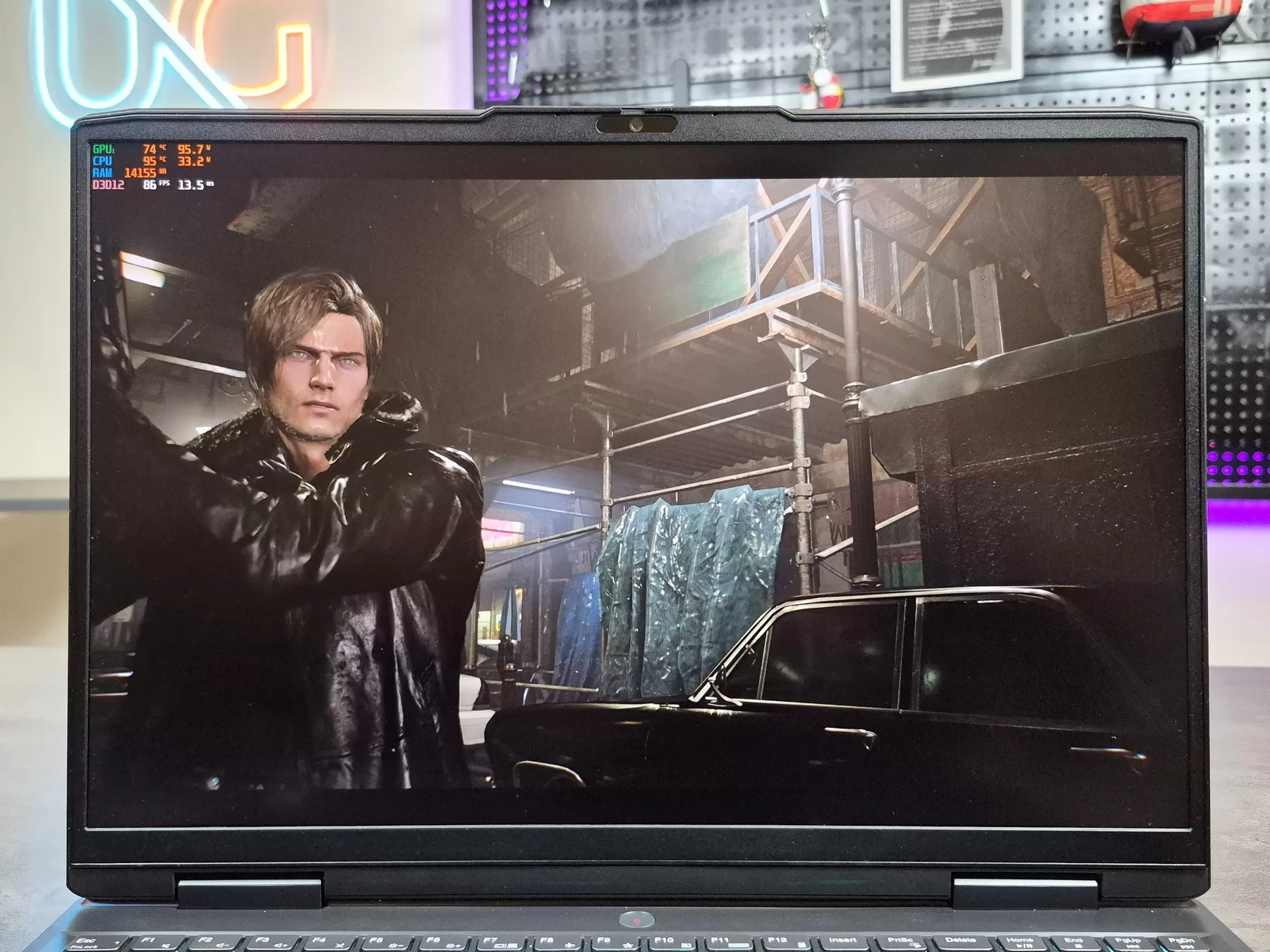

So, how does it run Resident Evil Requiem? Well, this older laptop ran the game smoothly! We specifically benchmarked the opening of the game with Grace in Wrenwood, followed by Leon’s Wrenwood section. We tested these as these are some of the most demanding parts of the game on PC hardware.
Playing at 1080p at the Low graphics preset (with DLSS set to Quality), here are the results:
- Grace Opening Section – Average framerate: 63.8 FPS | 1% low framerate: 44.2 FPS
- Leon Wrenwood Section – Average framerate: 60.4 FPS | 1% low framerate: 38.2 FPS
As you can see, the laptop ran these sections at 60 FPS on average, with pretty decent 1% low framerate numbers. Thanks to this, you get a smooth gameplay experience. Plus, it helps that the game still looks great even at the Low graphics setting.
As a bonus challenge, we checked the most affordable gaming laptop on Datablitz’s store, which is the MSI Thin 15 B12UC-1435PH. Its specs are:
| Minimum | MSI Thin 15 B12UC-1435PH | |
| OS | Windows 11 (64bit required) | Windows 11 |
| PROCESSOR | Intel Core i5-8500 / AMD Ryzen 5 3500 | Intel Core i5-12450H |
| MEMORY | 16 GB RAM | 16 GB RAM |
| GRAPHICS | GeForce GTX 1660 6GB / Radeon RX 5500 XT 8GB | RTX 3050 4GB |
The CPU should be fine, but the GPU’s 4GB VRAM was a bit of a question mark for us, as that’s below the minimum requirements. Surprisingly, even a laptop with an RTX 3050 4GB GPU could run the game!
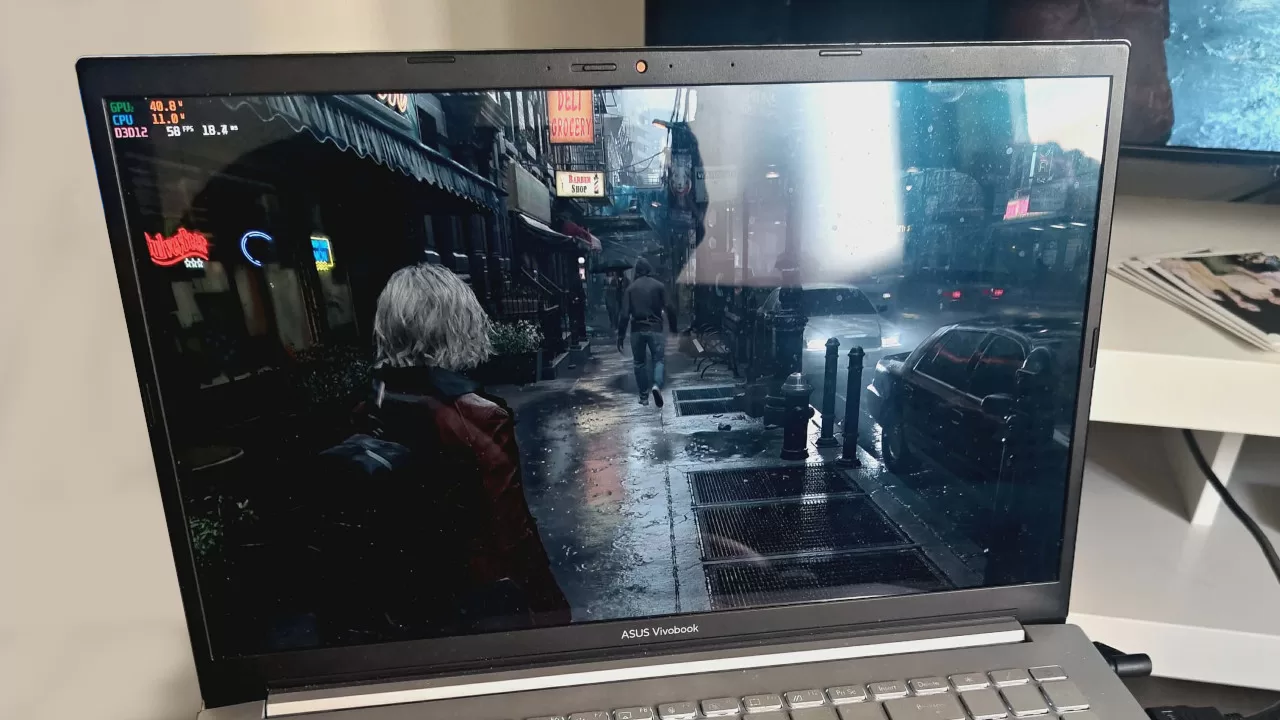
We tried the game on a Vivobook Pro with a Ryzen 9 5900HX and an RTX 3050 4GB GPU. For the Grace Wrenwood opening section, the laptop was able to sustain a mostly 60 FPS average. That’s at 1080p low with DLSS set to Quality. On the Leon Wrenwood part, the FPS average was lower, but it was still able to run that section decently well.
Based on these results, it’s safe to say that if you’re using a laptop with a dedicated graphics card released sometime over the last four years, it should have enough power for Requiem. Just make sure you have at least an RTX 3050 4GB and 16 GB of RAM.
What About a Typical Family PC?

Having tested gaming laptops, let’s turn our attention to PC. Again, we checked Datablitz’s store and looked at their prebuilt PC options, as we imagine many families opt for prebuilt desktops (unless someone in the family is a big PC gamer).
As of writing, the cheapest option on the store is a setup priced at only PHP 31,450 with the following specs (with the Requiem minimum requirements for comparison):
| Minimum | Alpha M305 Mesh Dekstop | |
| OS | Windows 11 (64bit required) | Windows 11 |
| PROCESSOR | Intel Core i5-8500 / AMD Ryzen 5 3500 | AMD Ryzen 5 5600 |
| MEMORY | 16 GB RAM | 16 GB RAM |
| GRAPHICS | GeForce GTX 1660 6GB / Radeon RX 5500 XT 8GB | GeForce RTX 3050 Ventus 2X E 6GB |
In this case, a simple specs comparison should work better, as the system requirements are based on PC hardware. With this in mind, it’s clear that the prebuilt setup above can easily run the game. In fact, it may have enough power to play Requiem at slightly higher graphics settings.
To make things more interesting, we were able to try the game out on even older PCs. The oldest setup we tried ran with an ancient GTX 960 4GB graphics card. Yes, even that old PC was able to run Requiem; just make sure you run without upscaling, as turning on FSR 3.1 noticeably decreased the 1% Lows.
Even if that’s a bit of an extreme example, this at least proves that if you have an old PC that’s still rocking a GTX 1060 graphics card and above, you may be able to play Requiem. Aside from that, if your PC was built in the last five years and has a GTX 1660 or better, you should have zero issues.
Resident Evil Requiem: A Well-Optimized Title on PC

Based on our tests, Resident Evil Requiem is truly a well-optimized game, not only for high-end PCs but also for entry-level gaming laptops and older rigs. This is definitely great news, especially given how expensive PC components and laptops are currently.
Thus, if you want to play Requiem but haven’t bought it yet because you’re concerned about how well it’ll run on your older or more modest setup, there’s no need to worry.
Resident Evil Requiem is available right now on PC via Steam and the Epic Games Store.