

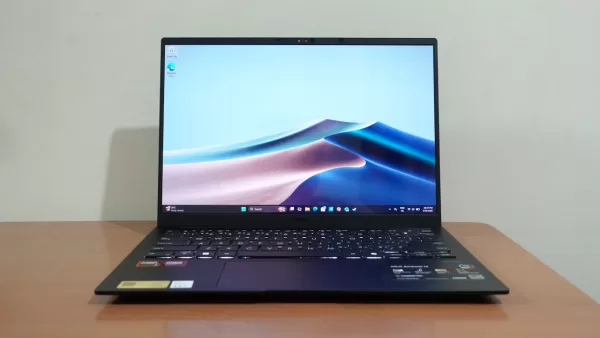
ASUS recently unveiled its new thin-and-light laptop lineup in the Philippines, featuring the Zenbook 14 2026 (UM3406GA) model. This is ASUS’ latest Copilot+ PC offering, and it promises great performance and all-day battery life, all while being one of the most portable laptops in the brand’s lineup.
While ASUS has launched many ultraportable laptops such as this one over the years, the 2026 Zenbook 14 promises to be perhaps the best one yet in terms of battery life, thanks in large part to its 75WH battery paired with an AMD Ryzen AI 7 445. What makes this processor significant is that it not only has an NPU with up to 50 TOPs of AI processing, but it also promises to be even more power efficient, to the point that ASUS says that the laptop can last for up to 25 hours on a single charge.
Given the promising capabilities of this new Zenbook, we were keen on trying it out to see if it delivers on what ASUS says it can. So, is it a compelling option in today’s competitive laptop market? Here’s what we think.
Geek-sthetic
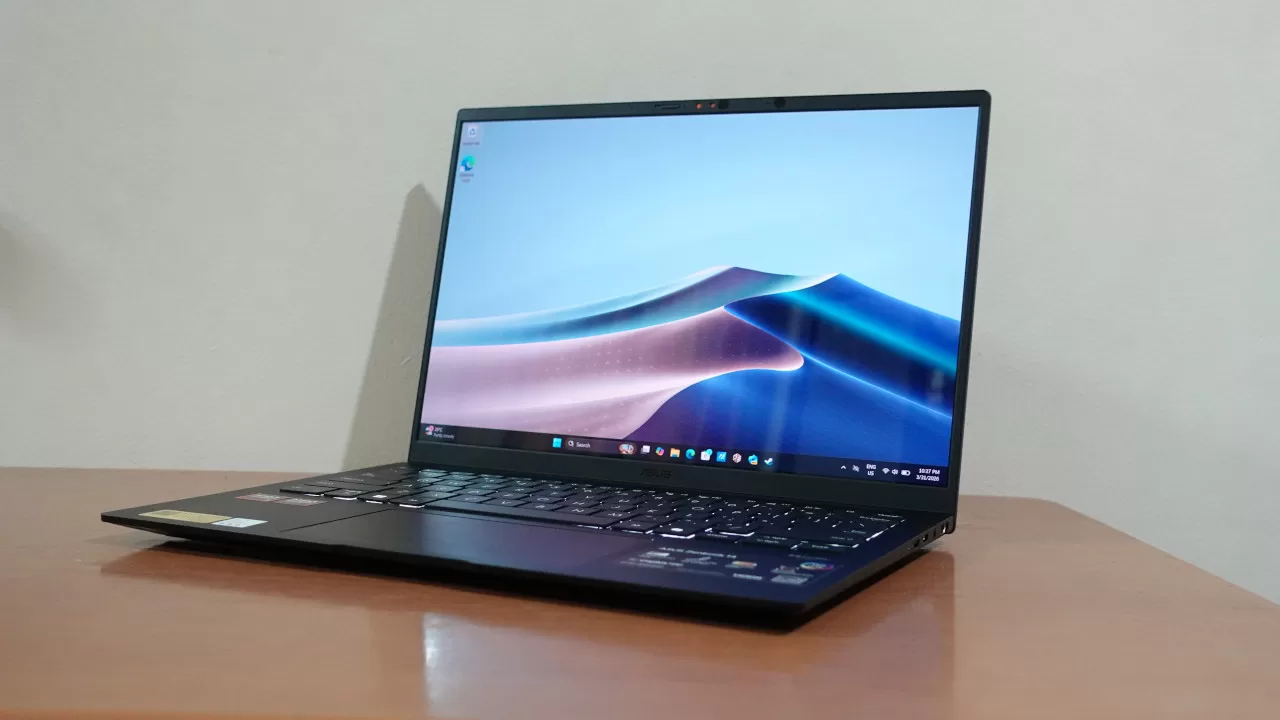
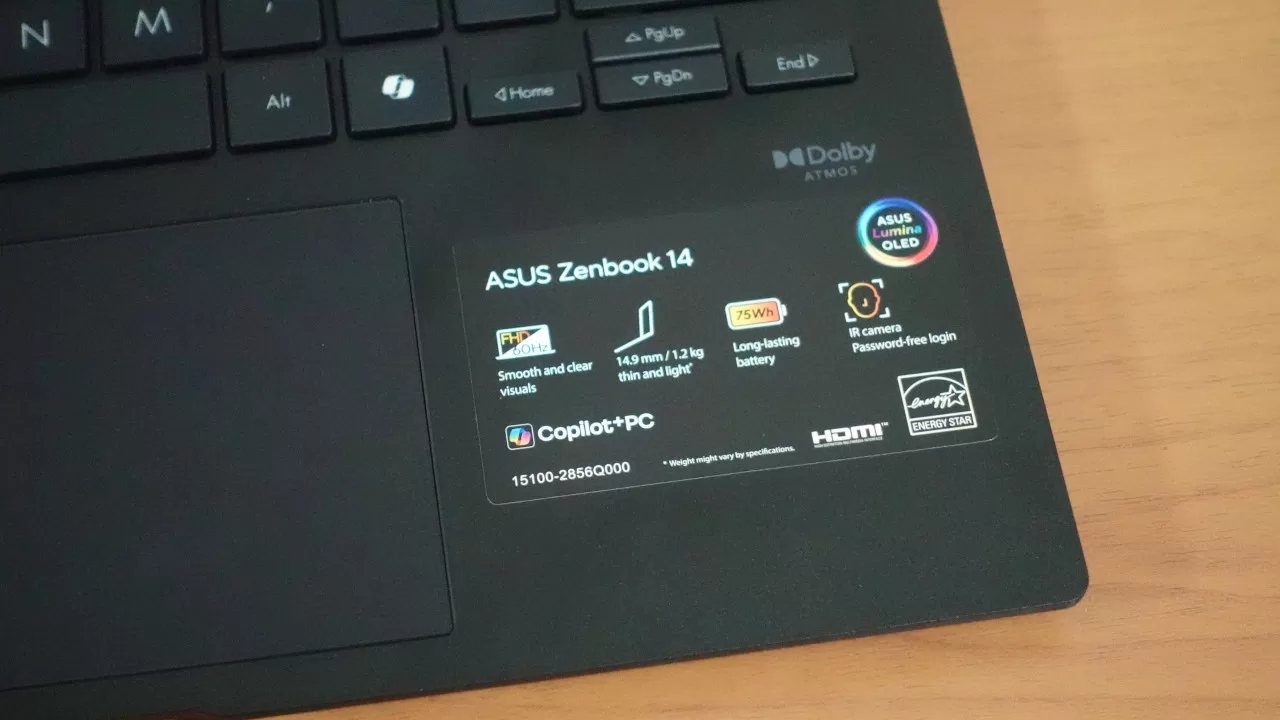
Before we get into the laptop’s performance and battery life, let’s first look at its design. What immediately got our attention was how thin and light this laptop is. Specifically, it’s 1.4cm thin and weighs just 1.2kg, making it easy to slip into your bag to carry everywhere.
Looks-wise, ASUS went with a sleek and low-profile style, as it only comes in the Jade Black colorway. The black color on this laptop looks quite nice in person, and while it may not be as eye-catching as other laptops, it’s not totally devoid of design elements. On the cover, the laptop has the now-signature Zenbook pattern that should be familiar to those who have used ASUS laptops over the past few years.
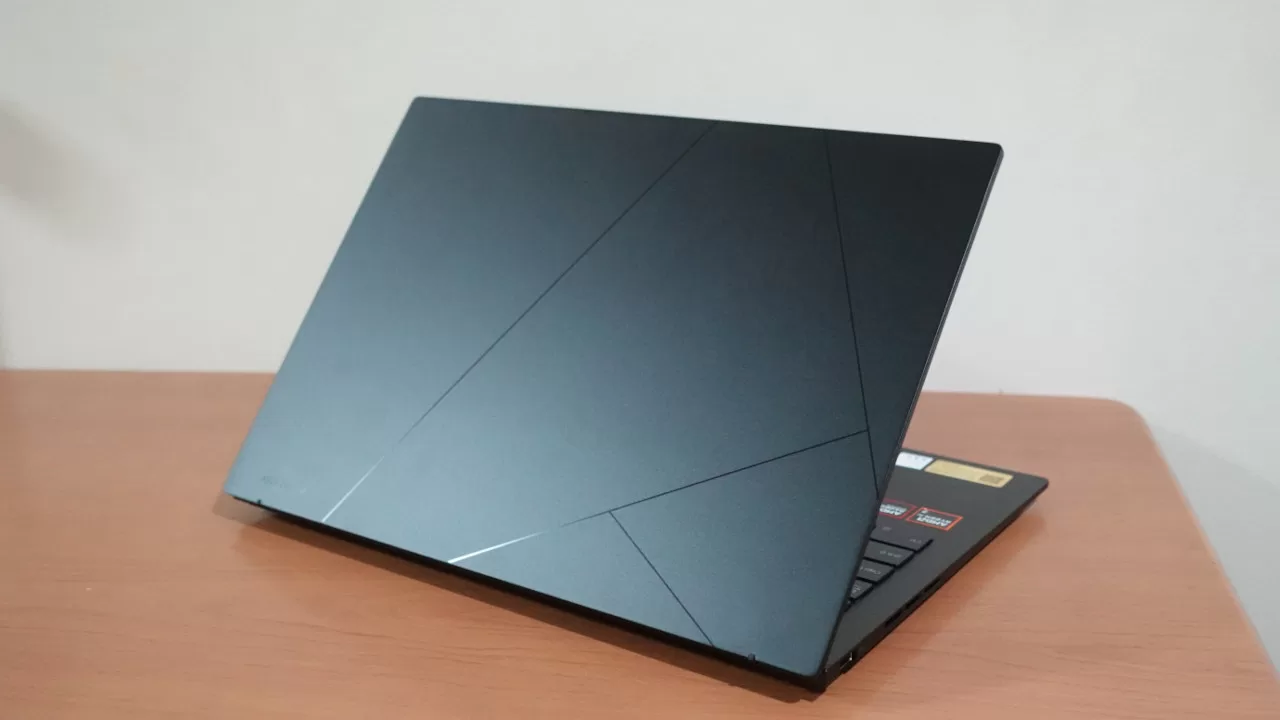
If you ask us, we like the all-black look of this laptop. While we didn’t put any stickers on it, we imagine that the laptop’s cover should be a good canvas for stickers if you want to personalize it.
One thing that we didn’t like too much is that, even though it has a matte finish, it does tend to show some fingerprint smudges. While it’s not that noticeable, you can see it from certain angles, so you may want to bring a cleaning cloth when you bring it outdoors.
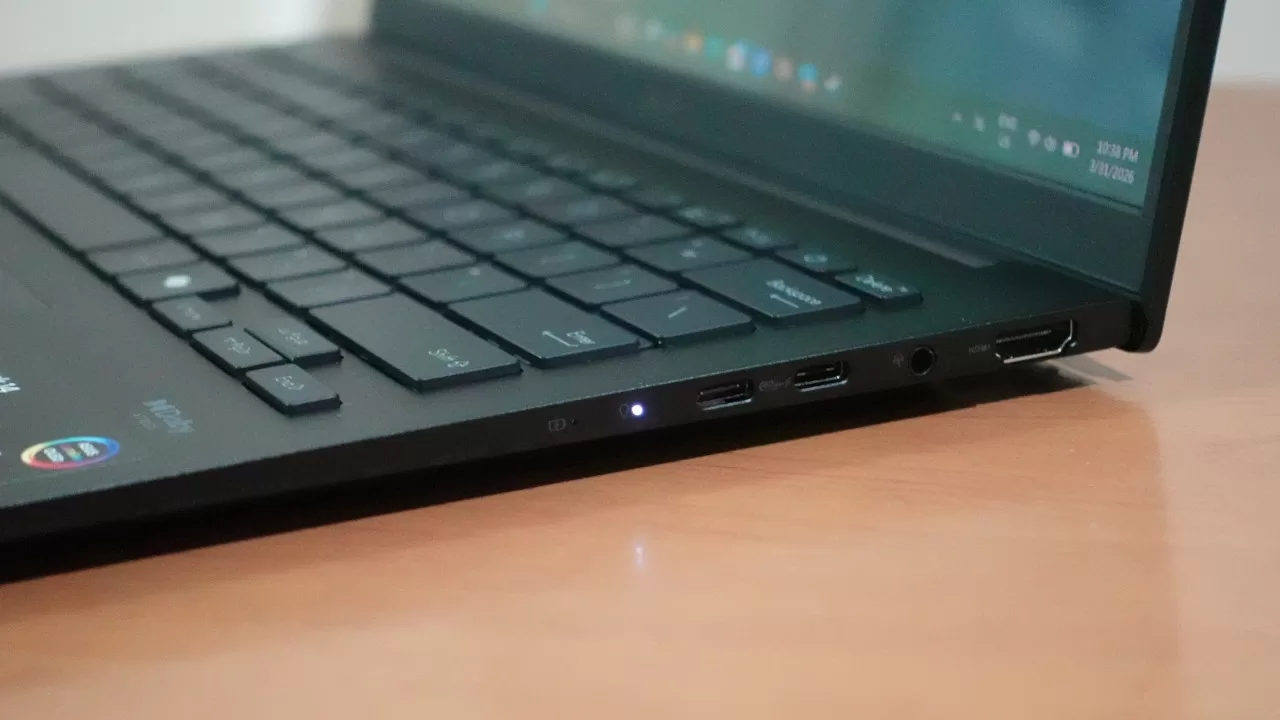
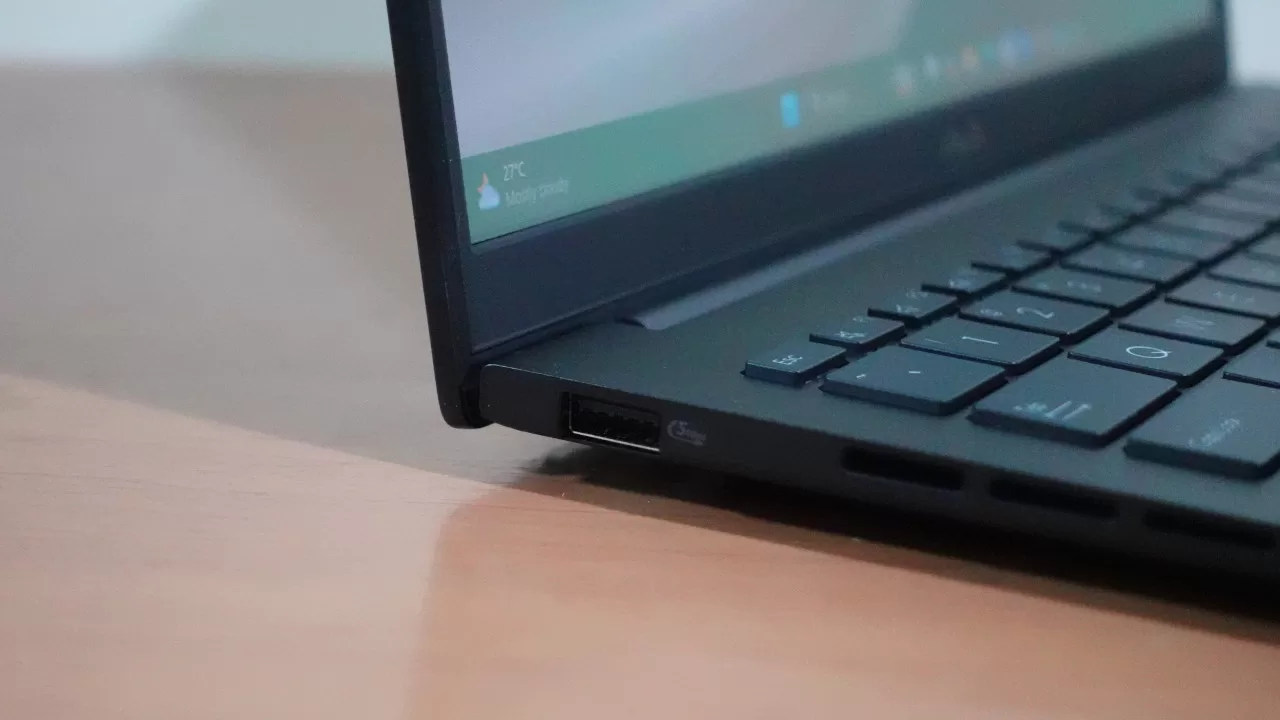
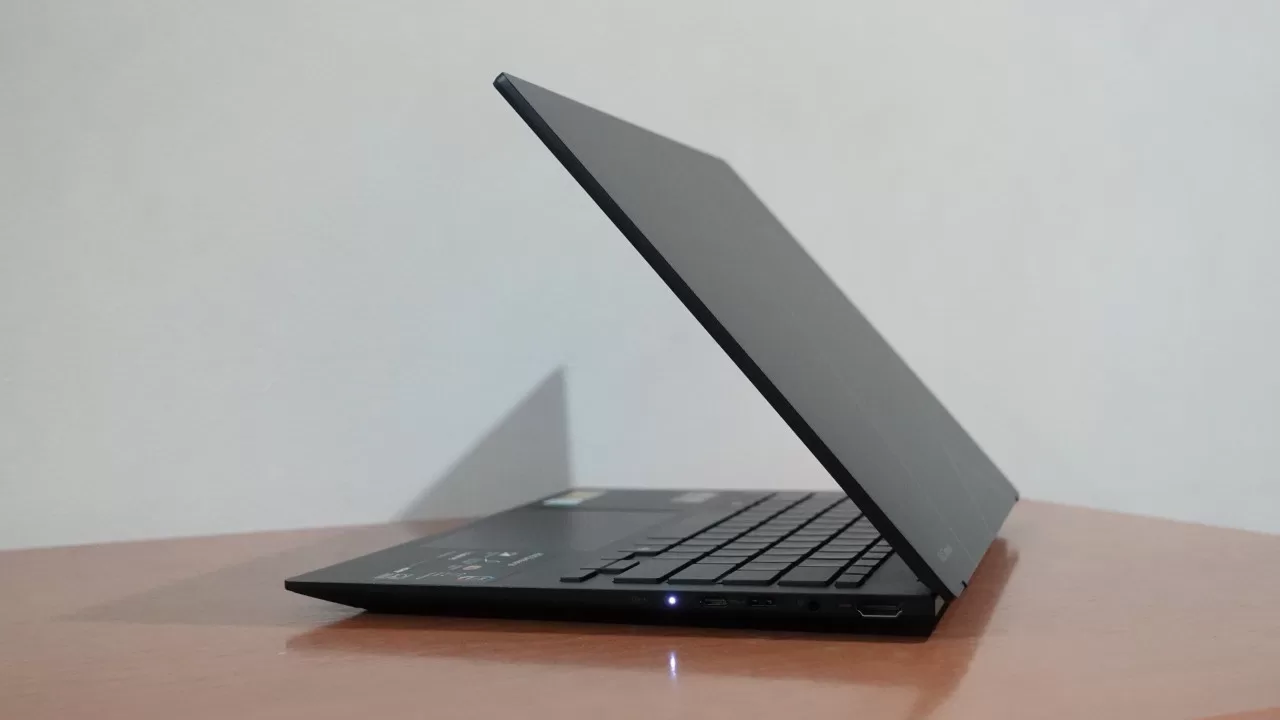
When it comes to connectivity, the Zenbook 14 2026’s I/O is just okay. While you do get two Type-C ports and an HDMI 2.1 port, you only get one USB Type-A port. Thus, if you want to use peripherals like a wired mouse, you’ll probably want to bring a dongle to get more of your accessories connected. We also would’ve liked a microSD card reader, as that would be helpful for users who create content with a camera.
Placement-wise, most of the ports are on the right side, while the Type-A port is on the left. This is fine overall, though we did notice that the Type-C ports are nearer the middle part of the right side. We would’ve preferred a Type-C port to be on the top right corner as it feels like a more natural spot when charging, but this is just a nitpick and is far from a dealbreaker.
Binge Watching Factor

While previous ultraportable notebooks we’ve tried have IPS-level screens, this new Zenbook 14 aims to outdo the competition when it comes to display quality. That’s because this laptop packs a 14-inch WUXGA (1920 x 1200) ASUS Lumina OLED screen.
Because it’s an OLED screen, the Zenbook 14 2026 model is an excellent binge-watching partner. The screen’s colors are vibrant with deep blacks, making for an enjoyable binge-watching experience. Its all-black design also helps, as the chassis is less noticeable when you’re watching a movie or show in a dark room.
Note that it’s still a 14-inch screen, so it’s fairly small for laptop standards, but it should still deliver a nice experience for binge-watching (arguably better than a tablet).
Sound Trip
Given how slim and light the laptop is, we weren’t expecting much when it comes to the onboard audio’s volume and quality. To our surprise, the laptop’s speakers are not bad at all for casual video watching and music listening.
At max volume, the speakers can get decently loud. While not class-leading in this regard, it’s still nice to know that the speakers can get to a decent volume at max settings, though you may want to keep the volume near this range, as 50% or below is a bit quiet. Thankfully, audio quality is still fine at higher volumes. And while you don’t feel the bass thump that much, lower-end extension is surprisingly good for laptop speaker standards.
Typing Experience
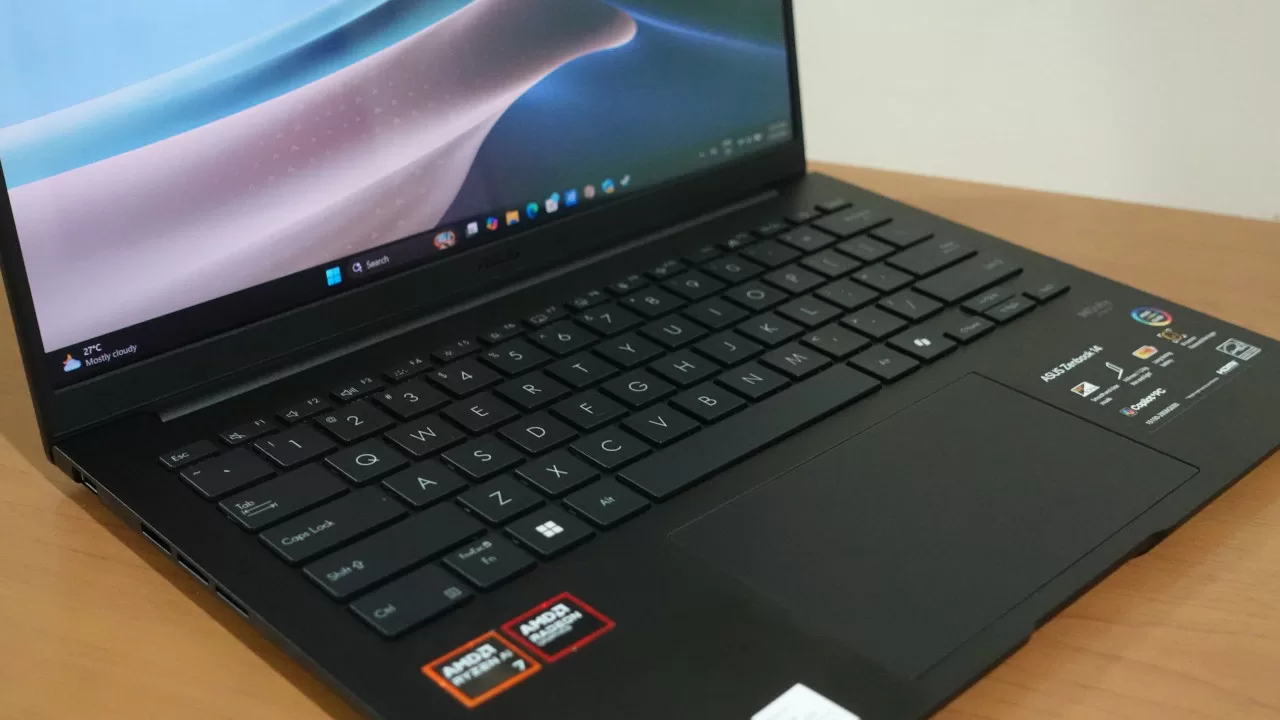
As a productivity-focused laptop, it’s important for the Zenbook 14 2026 to feel great to type on. After some time with the laptop, we can say that it’s a great partner for work and school, especially if you need to write long reports or documents.
The keyboard has a nice tactile feel (at least, for a membrane keyboard on a laptop), and the keys are spaced well, so you can comfortably type on this laptop for hours.
If there’s one thing we didn’t love in this regard, it’s the power button design. Instead of being recessed, the power button looks and feels like the other keys on the keyboard. Thankfully, it’s not placed exactly on the corner, so accidental presses shouldn’t happen often (if at all).
Using a mouse is our typical recommendation for work, but if you forget to bring one (or if you’re working in a cramped space), the trackpad works well. It’s also decently sized, making it comfortable to use instead of a mouse.
Gaming Prowess
Even though it’s not a gaming laptop, we were interested to know how well the Zenbook 14 2026 would run games. Given that the Ryzen processor running it has promising performance, we tested not only popular multiplayer games, but also some older triple-A games.
When it comes to multiplayer games, the Zenbook 14 works quite well, as it can run Dota 2 and Overwatch at 60 FPS on the Medium graphics presets. Given that these are fairly old games at this point, the results aren’t too surprising, but this is still good news for those who want to play these titles while on the go (just make sure you have a power outlet nearby).
What’s surprising for us is that this laptop can also run older triple-A games quite smoothly. Of course, you shouldn’t expect this laptop to play something like Resident Evil Requiem, but we did try Resident Evil 2 Remake. That game ran surprisingly smoothly, with an average of around 70 FPS, with some dips to 50 FPS during visual effects-heavy scenes (like using the grenade launcher or flamethrower). Note that we tested RE2 Remake at the Low graphics preset and at 720p, but the results are still good, not to mention that the game looked surprisingly good even at that resolution.
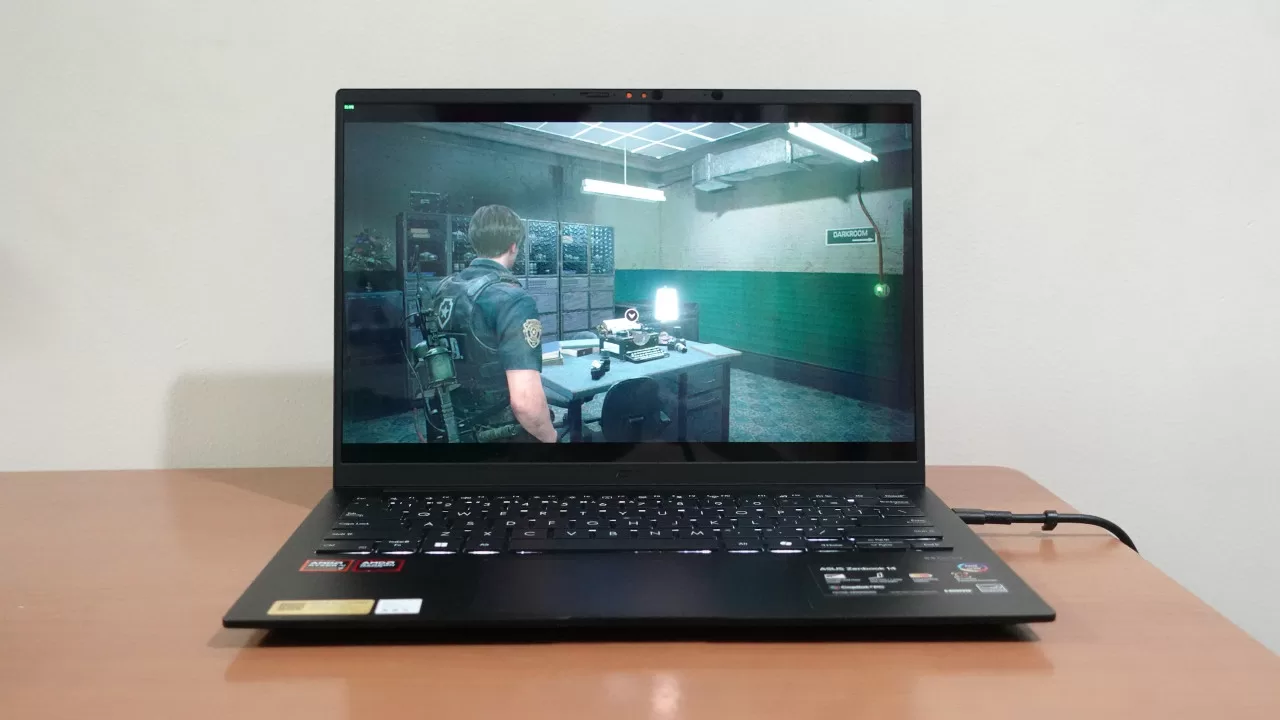
As such, if you have some older triple-A games in your Steam library, you can run those on this laptop, provided you lower the resolution and tune the settings down. In that sense, this laptop’s gaming performance is sort of like an older-gen handheld gaming PC.
Meanwhile, here’s a look at synthetic benchmark results:
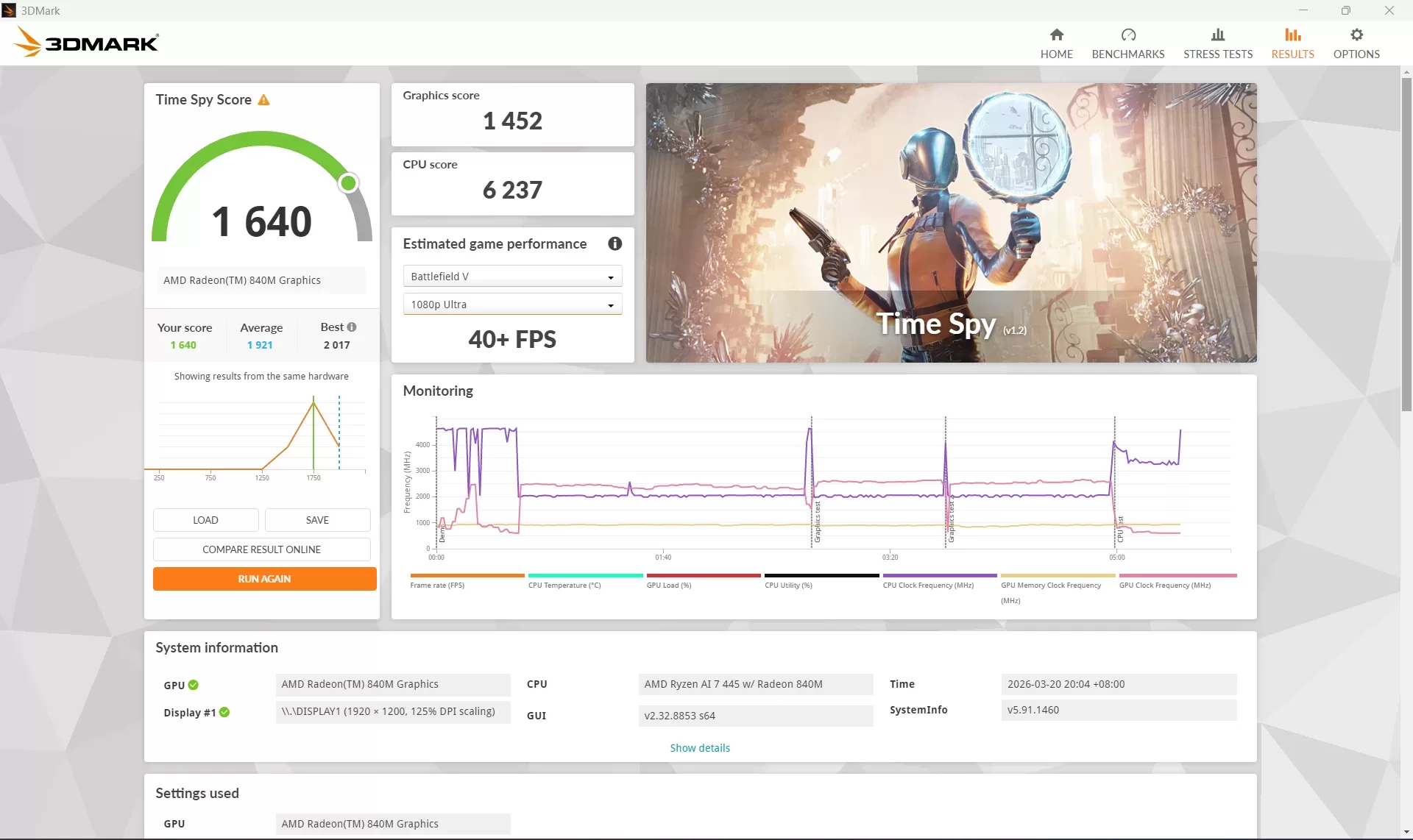
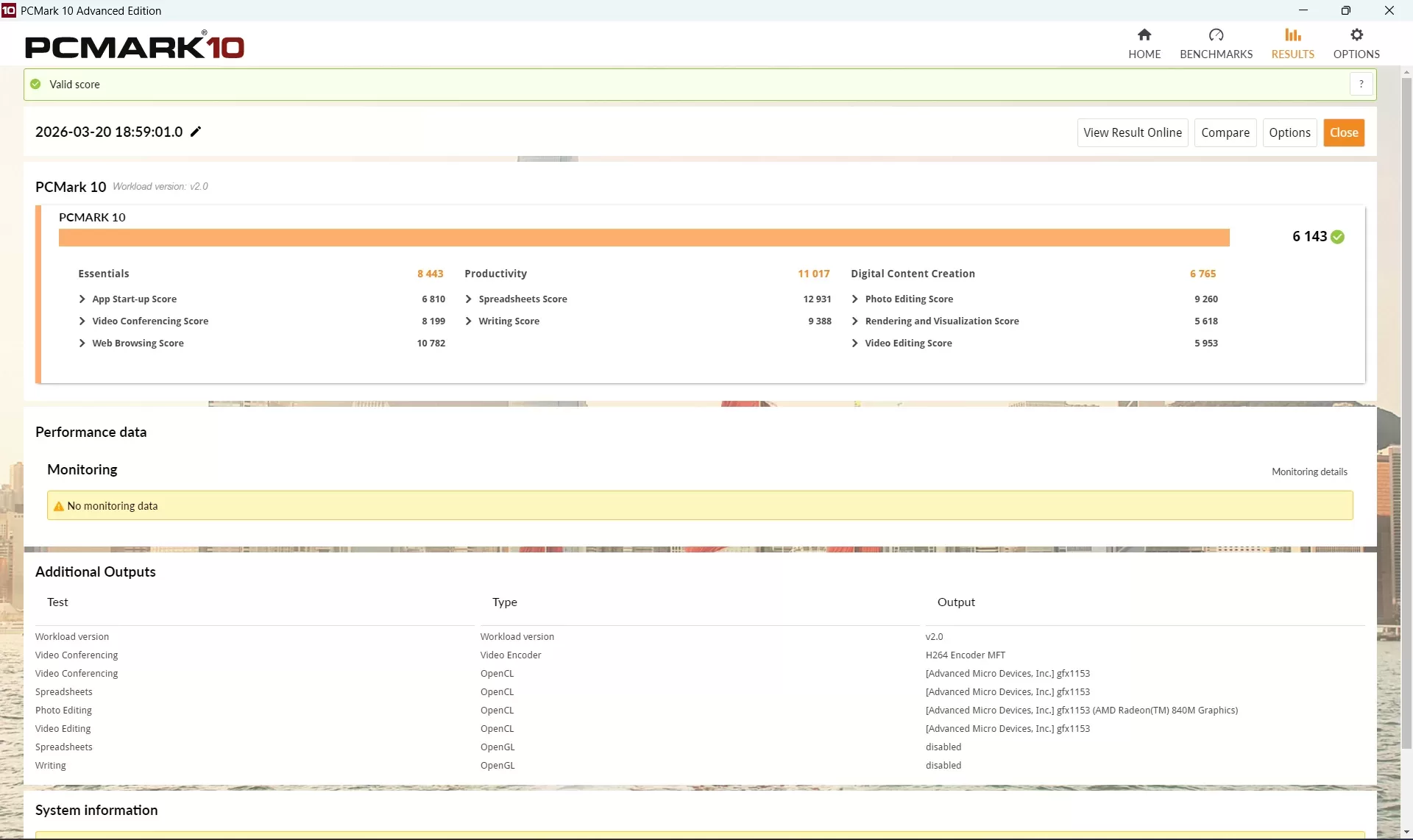
As you can see, the 3Dmark Time Spy result is surprisingly decent for a non-gaming laptop. Meanwhile, PCMark indicates that this Zenbook should be a capable productivity partner.
Note that this is designed as an ultraportable laptop, so we’re not sure how well it would hold up to long-term gaming.
Everyday Reliability
Based on the benchmark results and our gaming test, we expected this laptop to have no problems running even content creation programs. After more time with the laptop, we can indeed confirm that the Zenbook 14 2026 model can be used as a photo and video editing laptop, as its processor and integrated GPU combo is quite powerful. Of course, heavier workloads (like editing high-res files) may be too much, but for lighter content creation, this should get the job done.
As for productivity, users can also take advantage of various AI features that are limited to Copilot+ PCs. These include Cocreator for on-device image generation, along with Live Captions. While you still get more functionality with online AI services, the on-device AI features can be nice for some users, especially in situations where there’s no consistent internet connection.
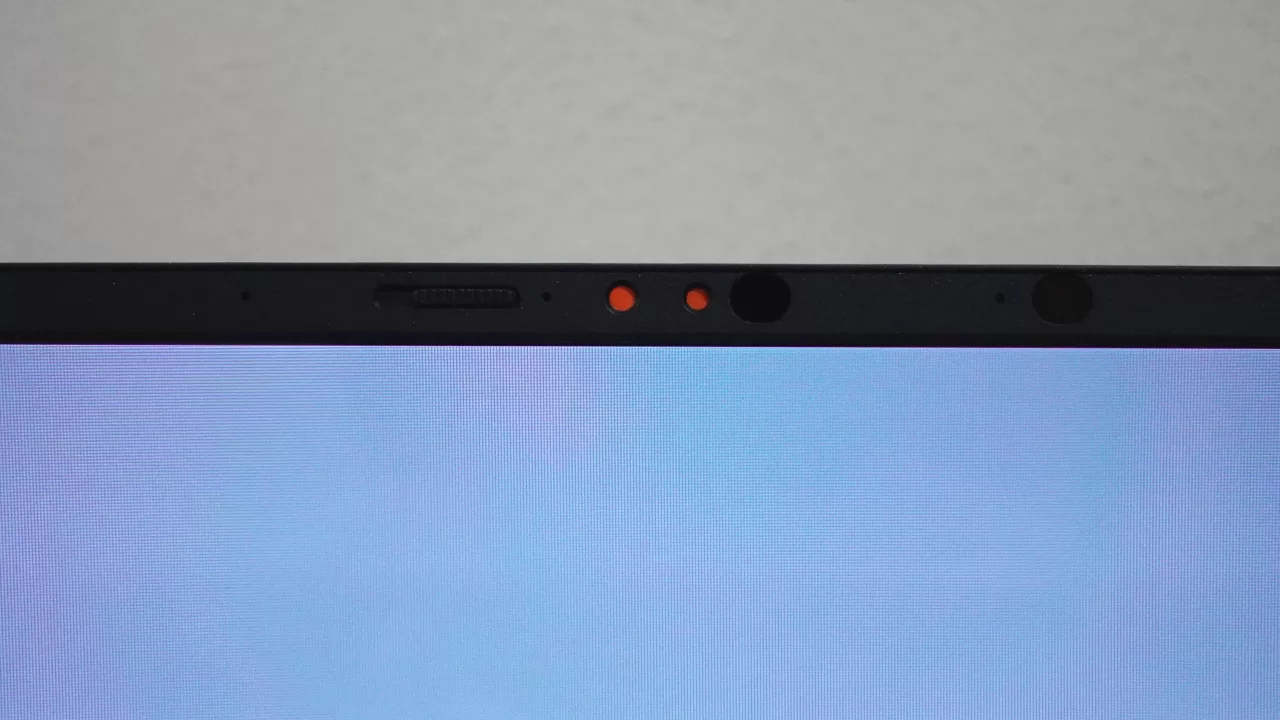
More than the AI features though, what we loved about the laptop as a daily driver is its battery life. While in our use, we weren’t able to reach 25 hours on the laptop, an eight-hour workday is totally doable here, with some charge to spare. We also ran a 2-and-a-half-hour movie at 50% brightness and volume, and after the movie, the laptop still had 87% remaining (starting from 100%). So, if you’re looking for a long-lasting Windows laptop (battery life-wise), the Zenbook 14 won’t disappoint.
Final Geek Lifestyle Verdict
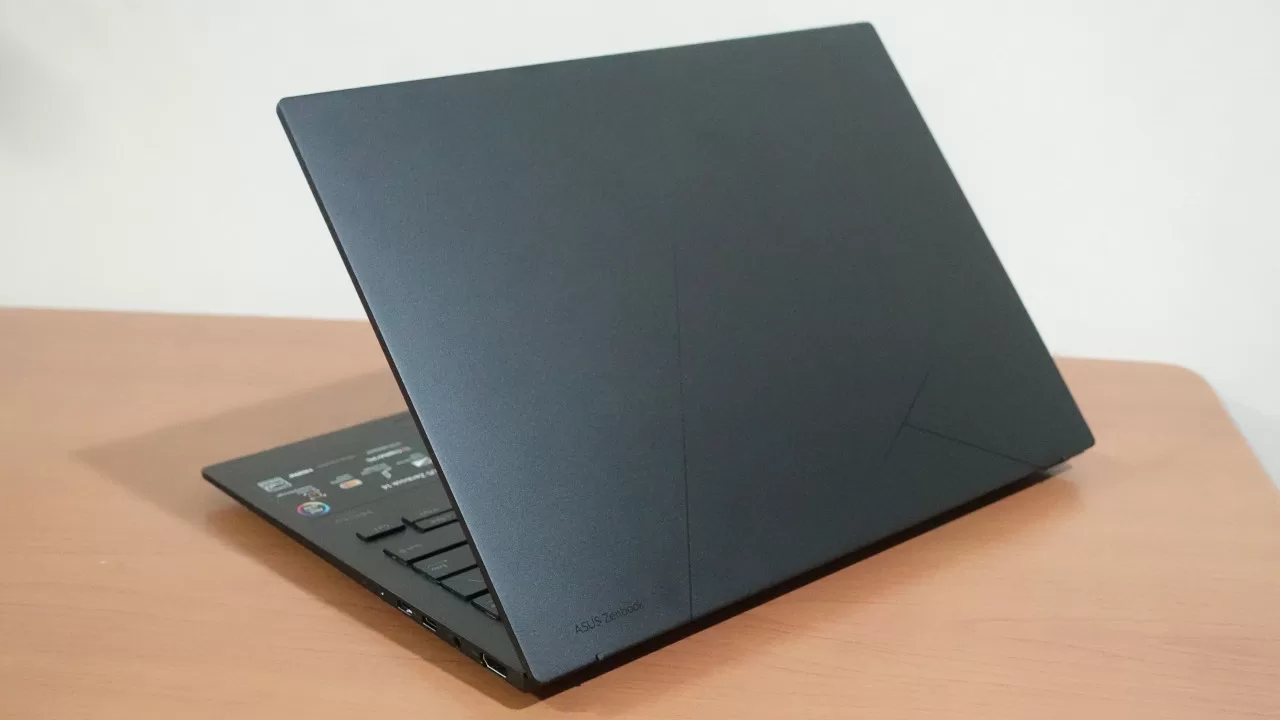
Thanks to its great gaming and everyday performance (even for some older triple-A games), sleek design, and long battery life, the Zenbook 14 2026 does live up to ASUS’ promise of being a capable on-the-go productivity partner. Best of all, this new Zenbook is indeed incredibly easy to bring everywhere you go, as it’s incredibly thin and light.
At its price of PHP 79,995, the Zenbook 14 UM3406GA is a bit of an investment, but if you want a thin and light laptop that doesn’t sacrifice performance and battery life, you can’t go wrong with getting one.
ASUS Zenbook 14 UM3406GA specs:
- Processor: AMD Ryzen AI 7 445
- Installed Memory: 16GB LPDDR5X
- Operating System: Windows 11 Home
- Storage: 1TB M.2 NVMe PCIe 4.0 SSD
- Display: 14-inch WUXGA (1920 x 1200) ASUS Lumina OLED, 60Hz, 16:10 aspect ratio
- Battery: 75WHrs, 4S1P, 4-cell Li-ion
- Ports:
- 1x USB 3.2 Gen 1 Type-A (data speed up to 5Gbps)
- 1x USB 3.2 Gen 2 Type-C with support for display / power delivery (data speed up to 10Gbps)
- 1x USB 4.0 Gen 3 Type-C with support for display / power delivery (data speed up to 40Gbps)
- 1x HDMI 2.1 TMDS
- 1x 3.5mm Combo Audio Jack
- Price: PHP 79,995